

Investor CRM
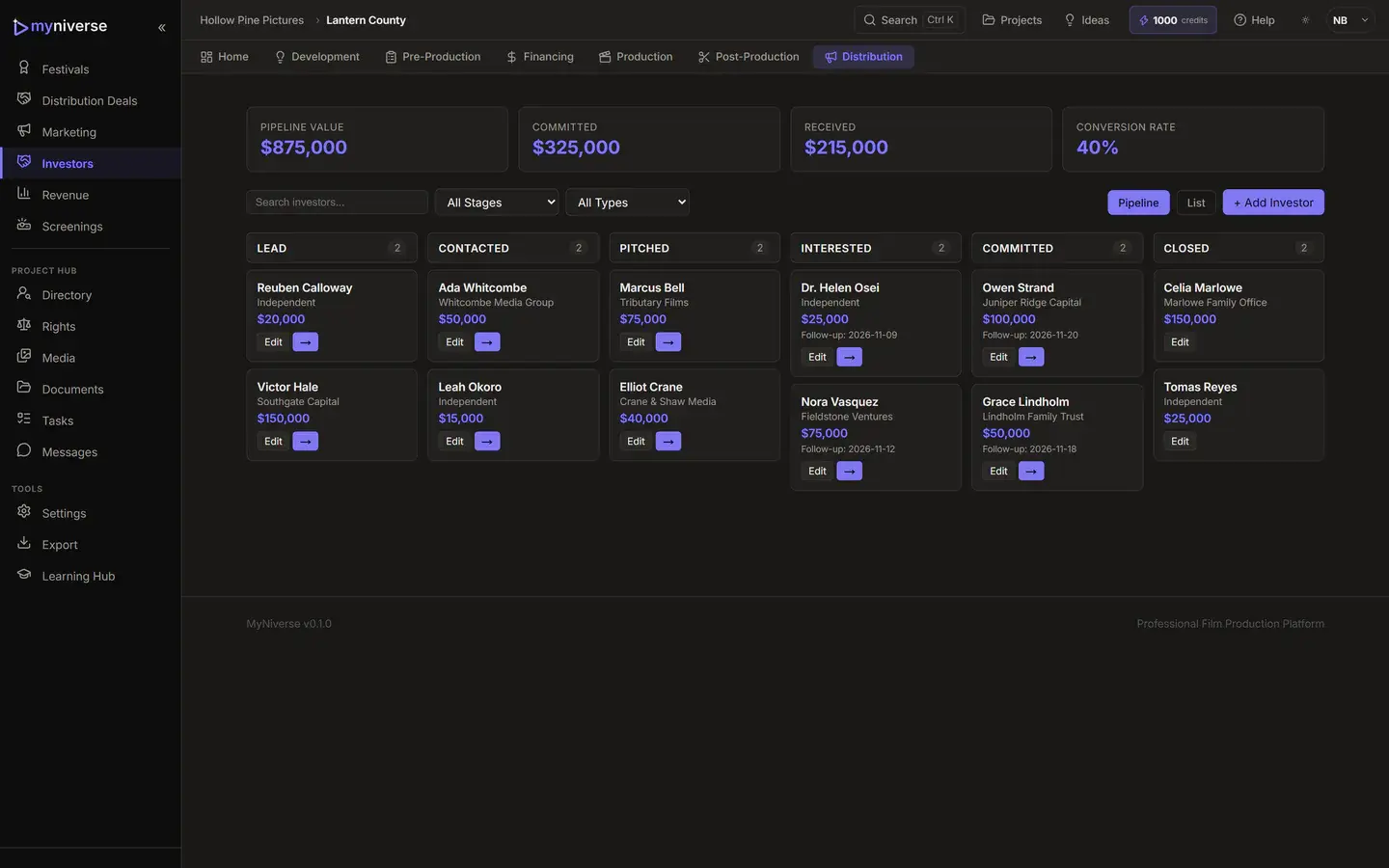
Track every investor from lead to closed, with target, committed and received amounts, terms and follow-up dates.
For independent producers and small production teams
MyNiverse is a browser-based workspace that carries one project from idea to release. Your script, breakdown, stripboard, call sheets, budget, financing, post and festival run live in the same project record.
Free includes 2 active projects and 50 AI credits. Upgrade when the shoot needs more.
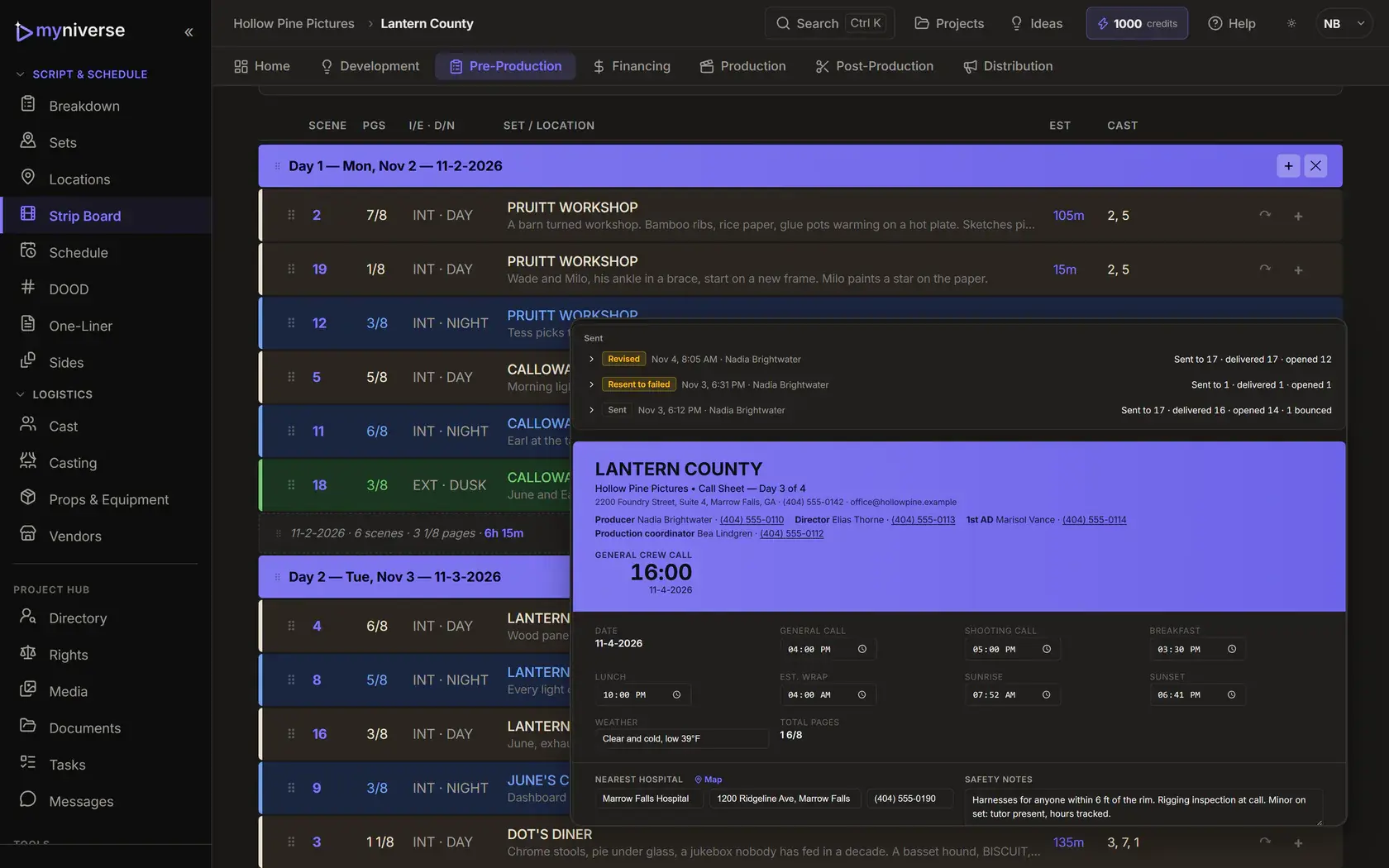
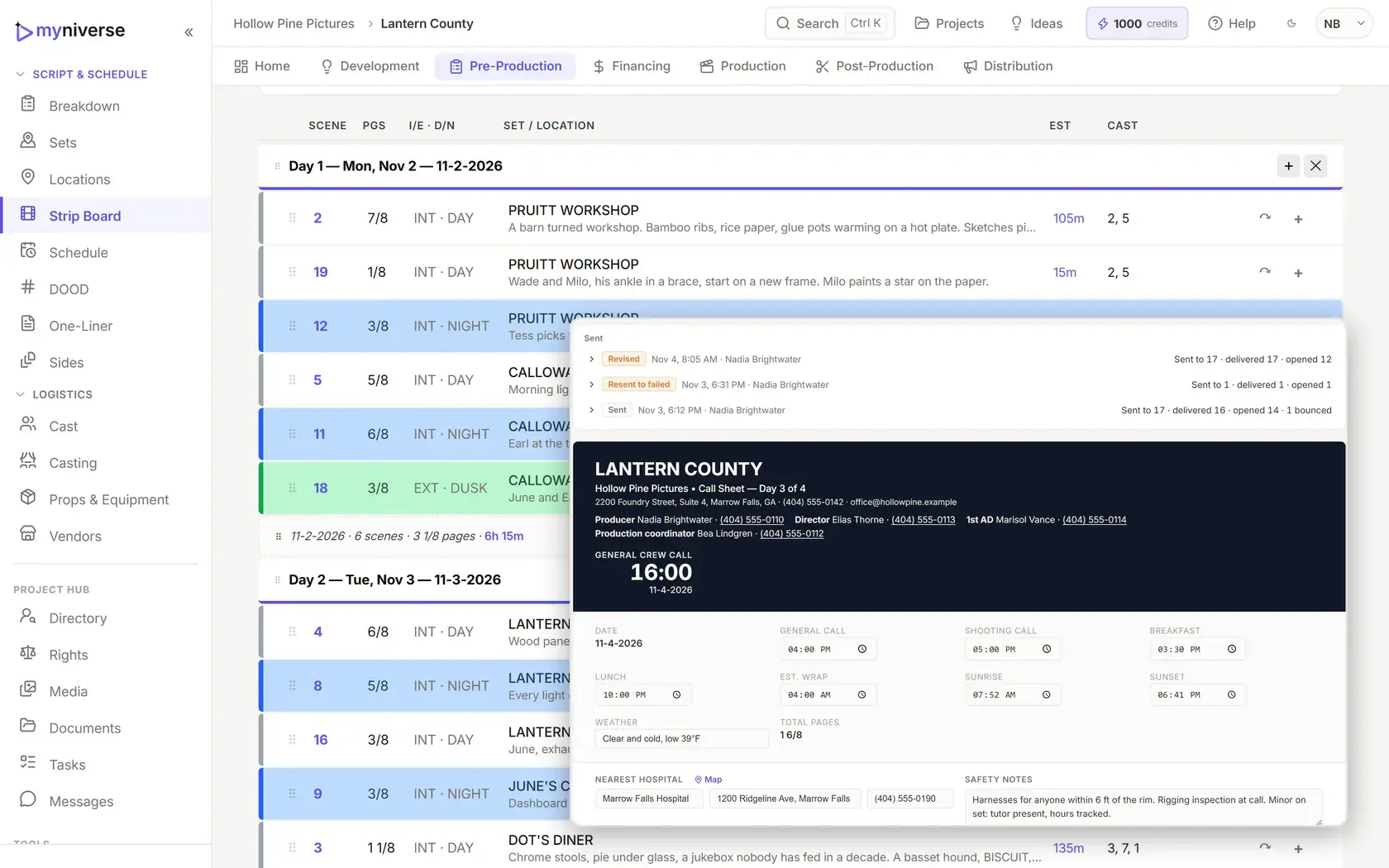
Most indie productions run on a screenwriting app, a scheduling tool, a budget spreadsheet and a shared drive. Every rewrite means exporting, re-importing and hoping the schedule, the call sheet and the budget still agree. MyNiverse keeps them in one project, so the scene you change in the script is the same scene on the board, the call sheet and the budget.
Same scenes, same cast, same locations, same budget. No hand-offs between apps.
Five steps, one project. No exports between tools.
Write in the screenplay editor, or import Final Draft (.fdx), Fountain or PDF on any plan.
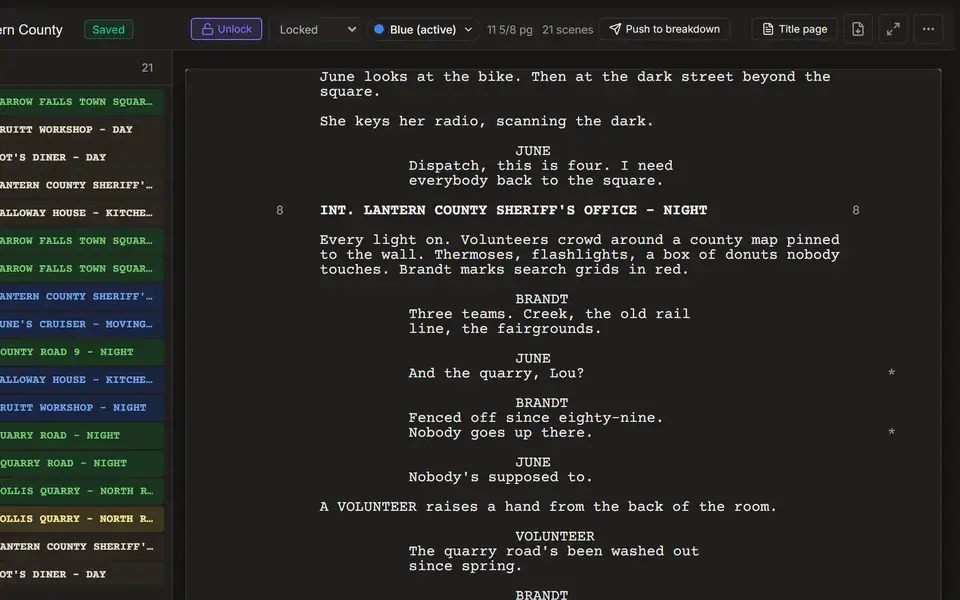
Lock for production to issue scene numbers. One push builds scenes, cast, locations and sets, and never deletes your work.
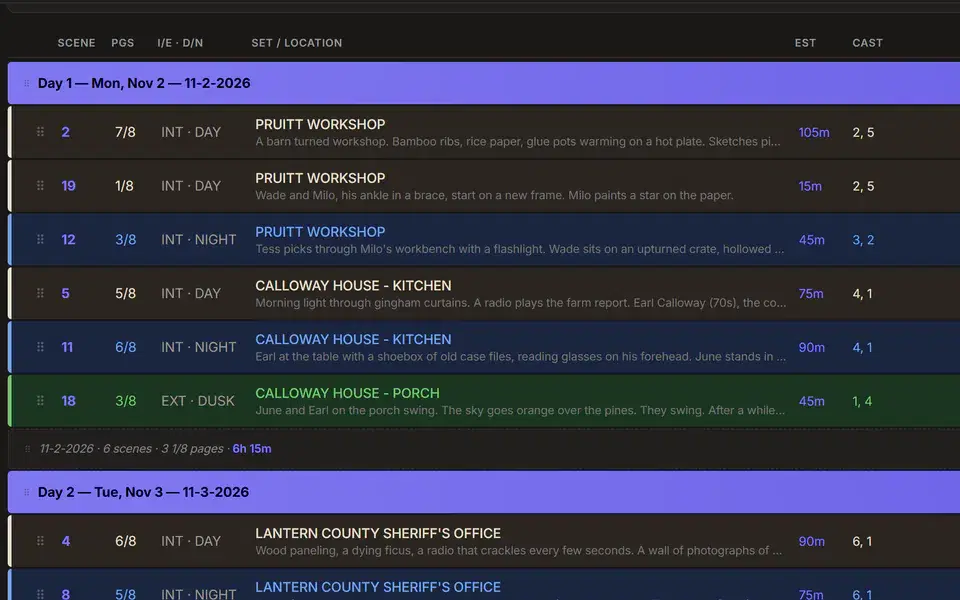
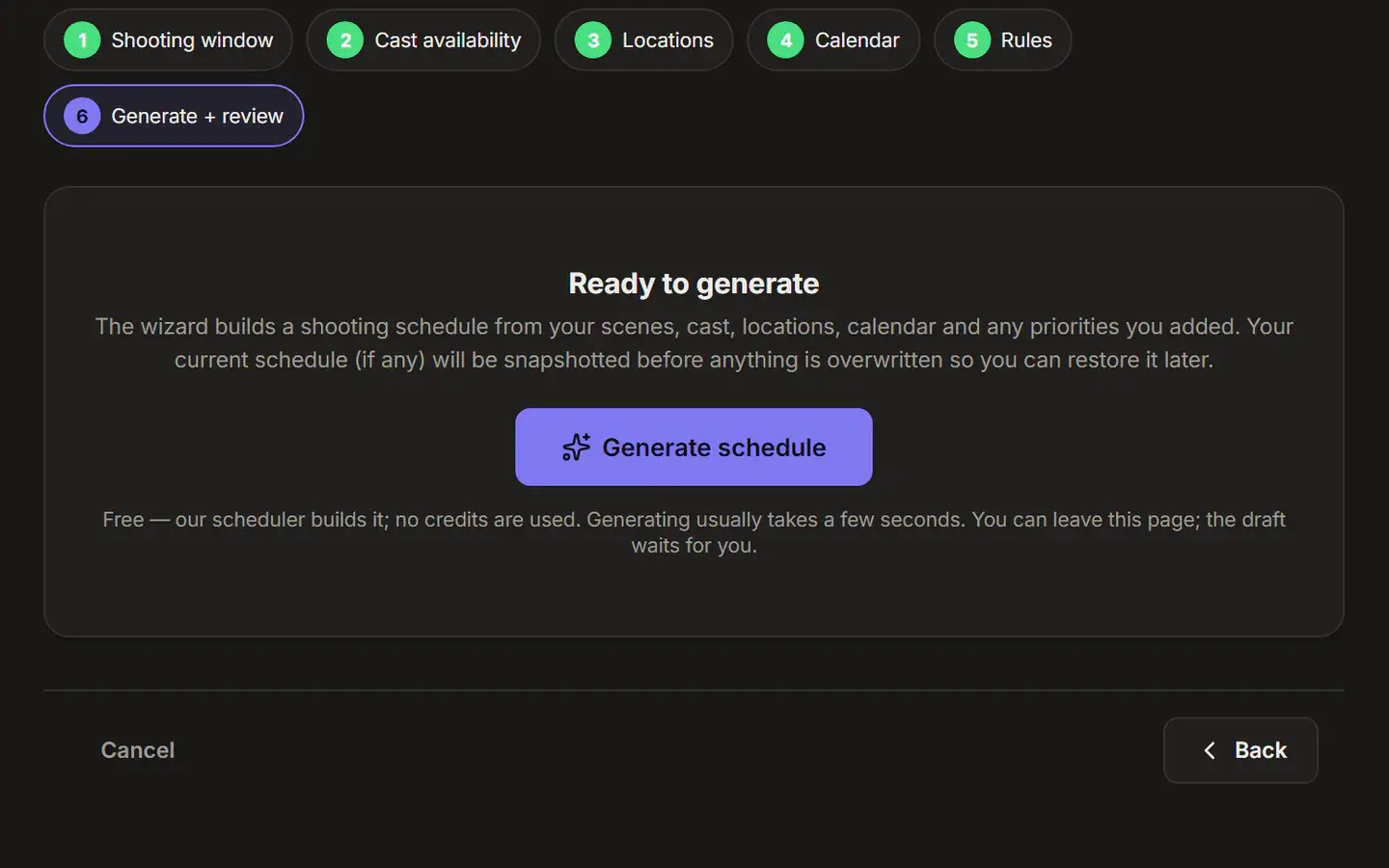
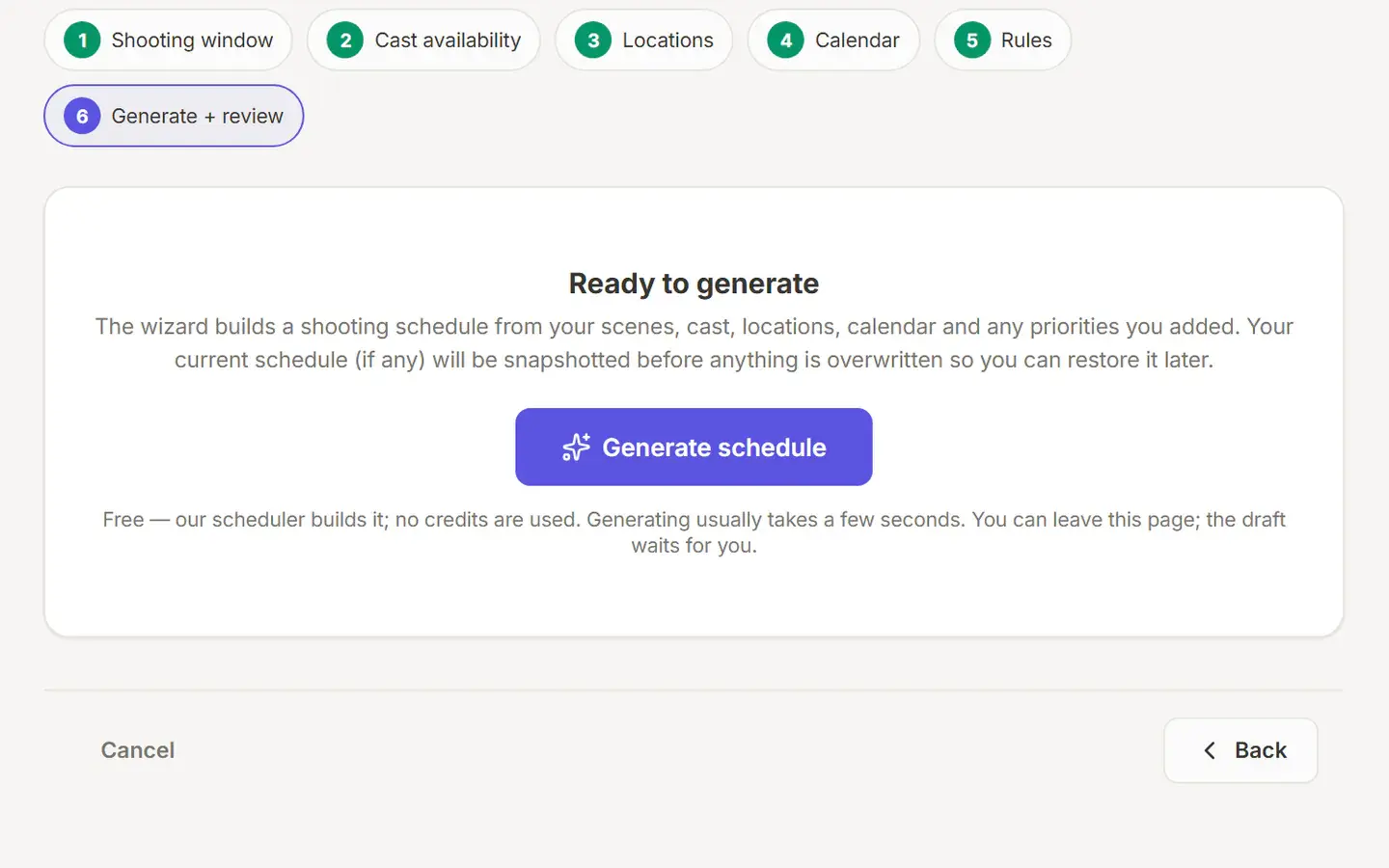
Drag strips into shooting days, run the free Auto-Stripboard optimizer, or build a full schedule with the free Schedule Wizard.
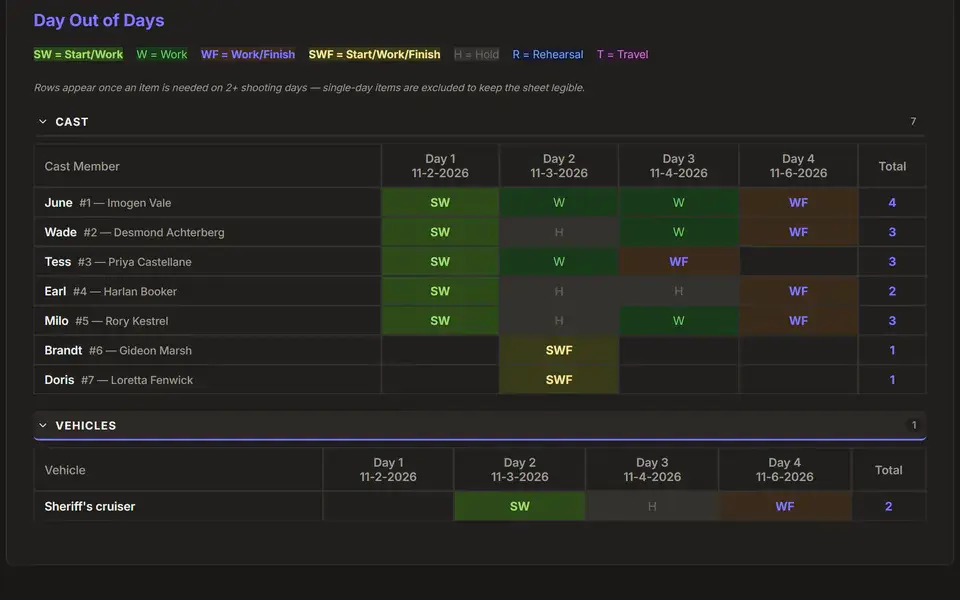
Day Out of Days, the one-liner, sides and call sheets come straight from the board, and each day's call sheet can go out by email from MyNiverse.
Post-lock script changes go to the 1st AD's revisions queue with an impact report, with A-numbers and OMITTED scenes handled for you.
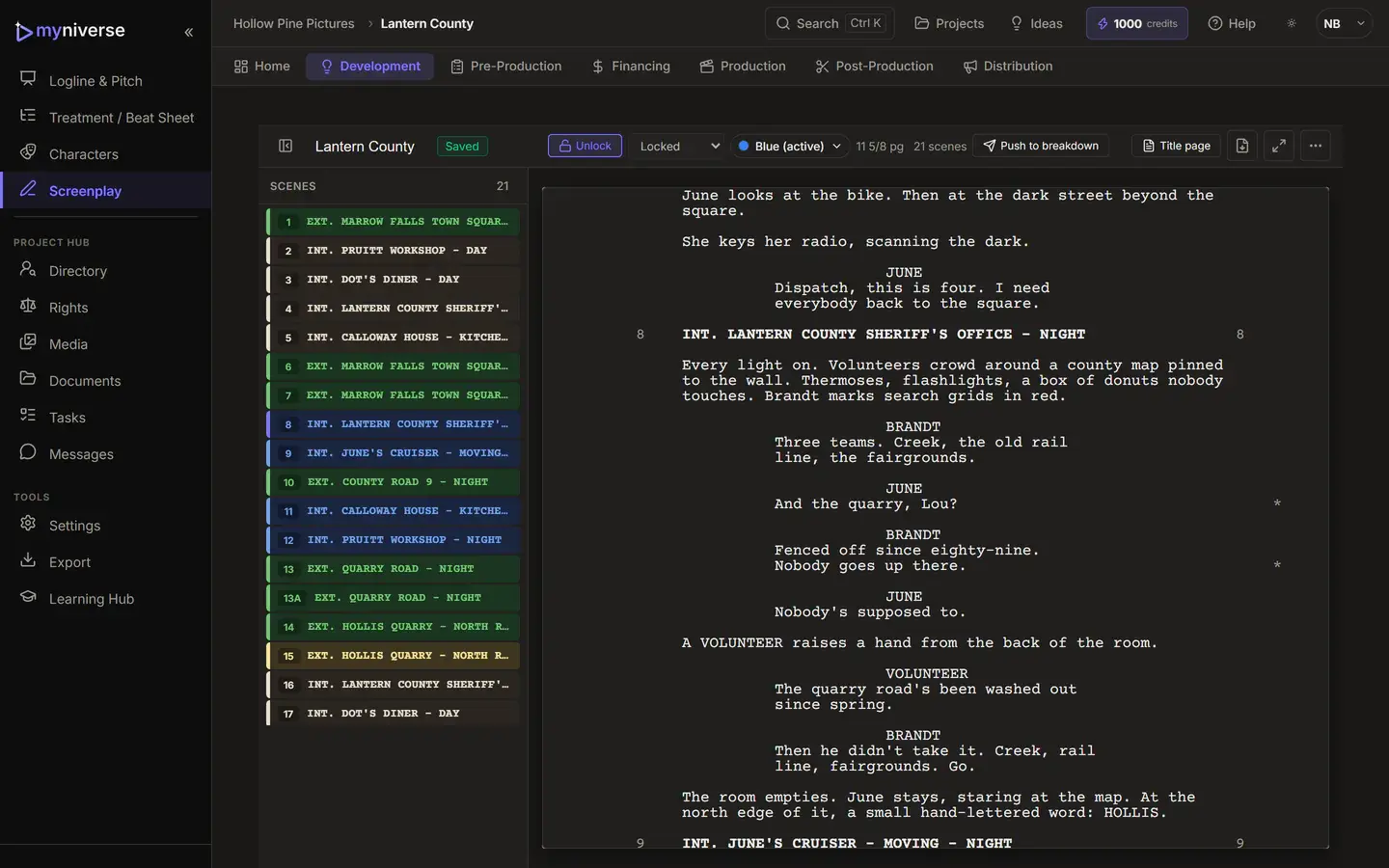
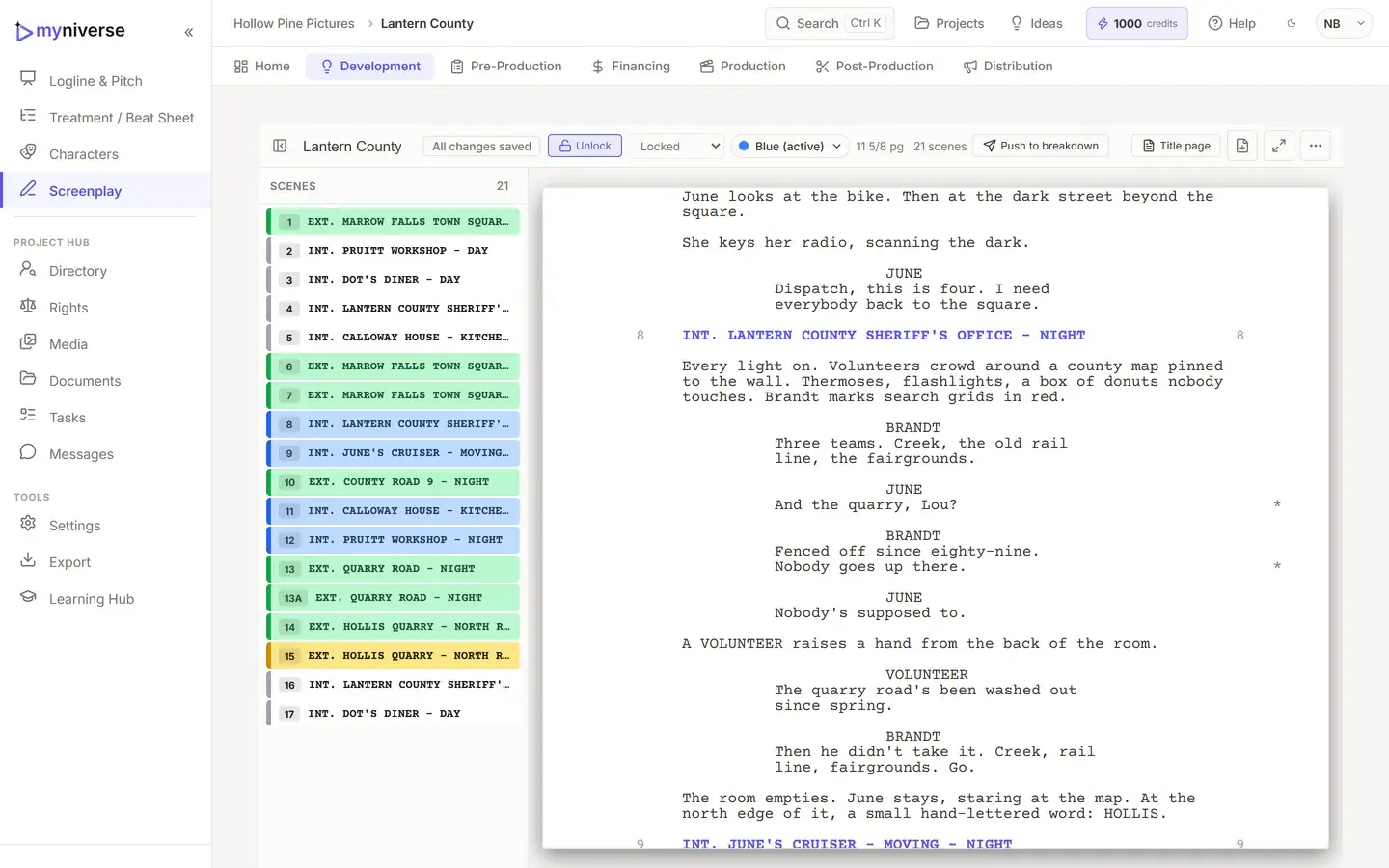
A screenplay editor with Final Draft-style keys, dual dialogue and page counts in eighths. When you lock, scene numbers are issued and never reused.
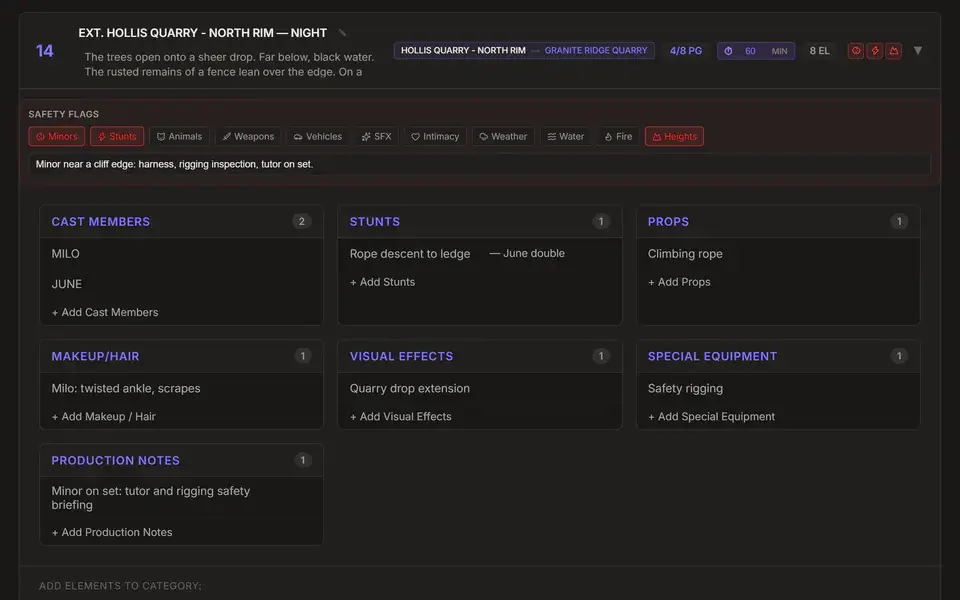
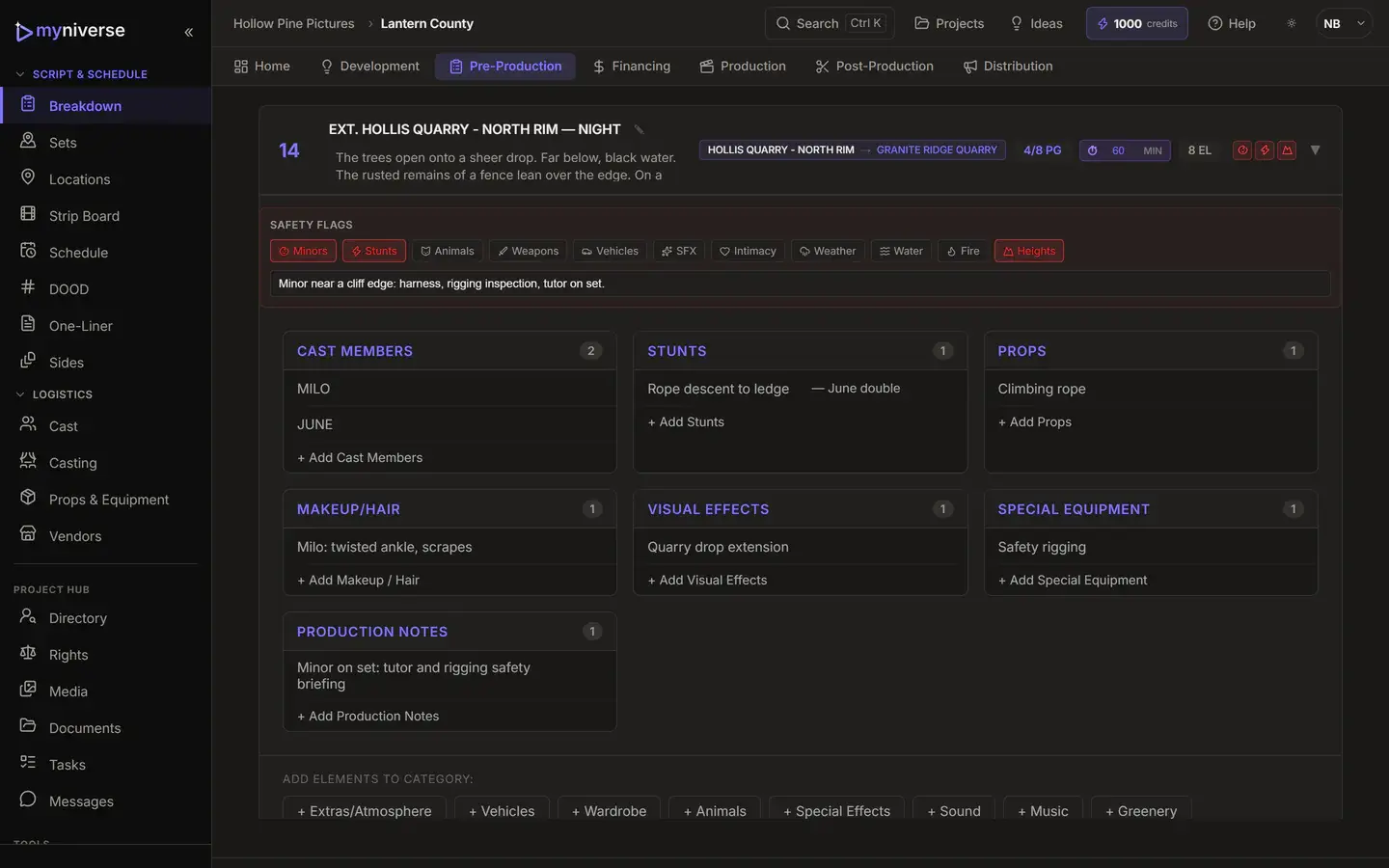
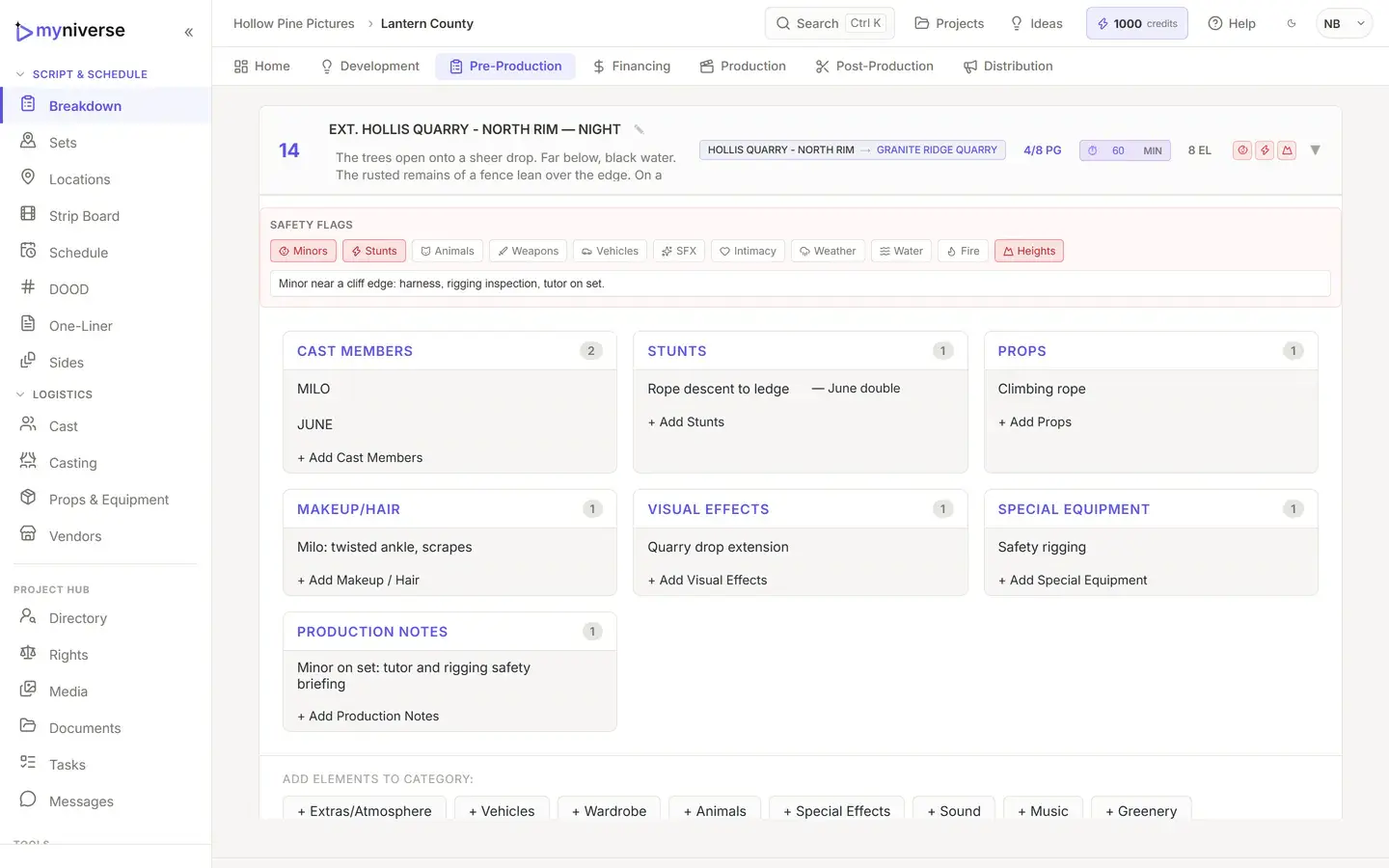
Breakdown sheets for every scene, with elements tagged across 16 categories. Tagging from the script is automatic and free. When you want a second look at risk, Safety Scan (AI) flags safety issues in every scene.
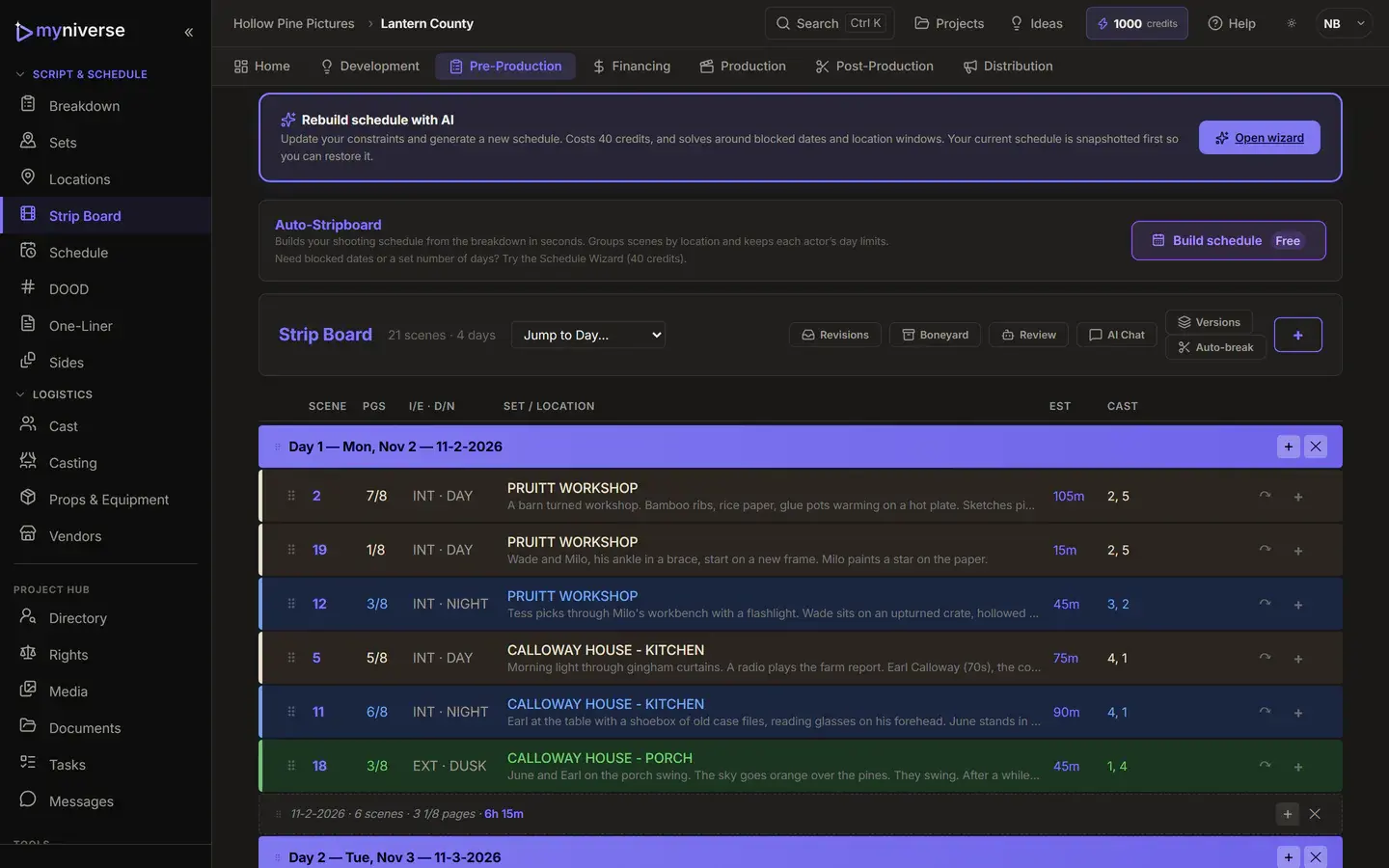
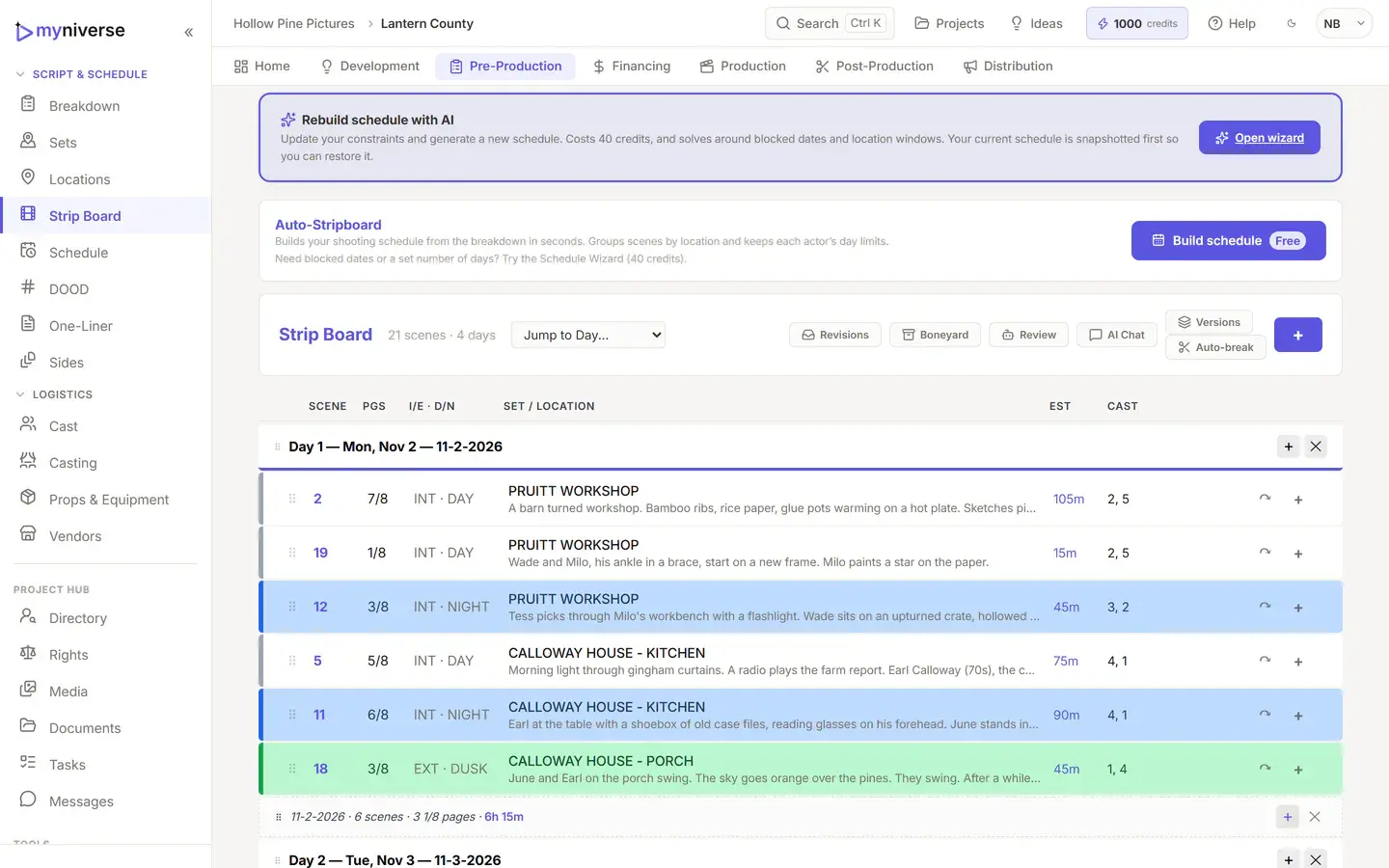
A color-coded stripboard with day banners, page and time totals, and a conflict detector that checks page limits, hours, cast availability, location blocks and turnaround. Locations carry light control (full, partial or none), so a night scene on a stage can shoot by day.
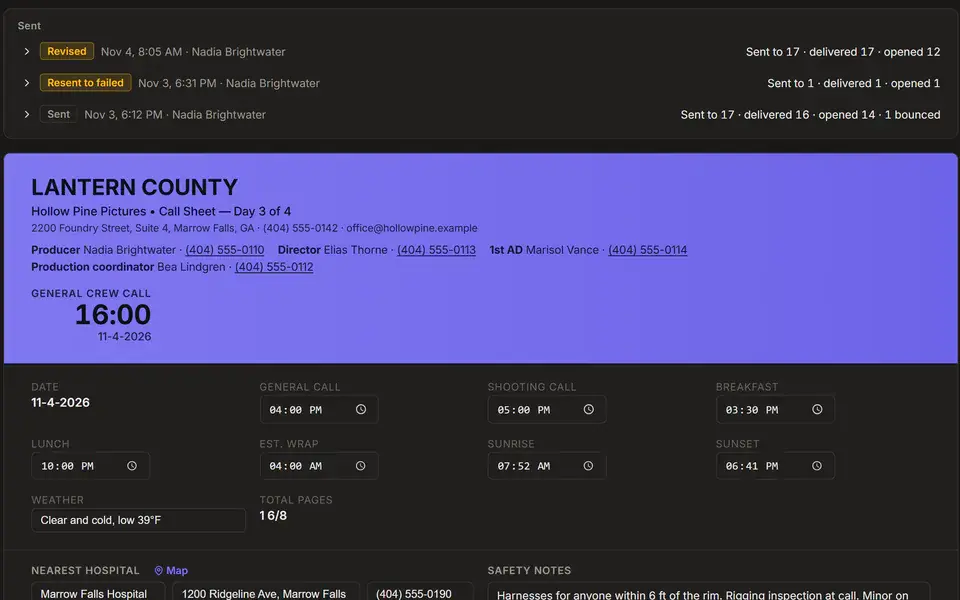
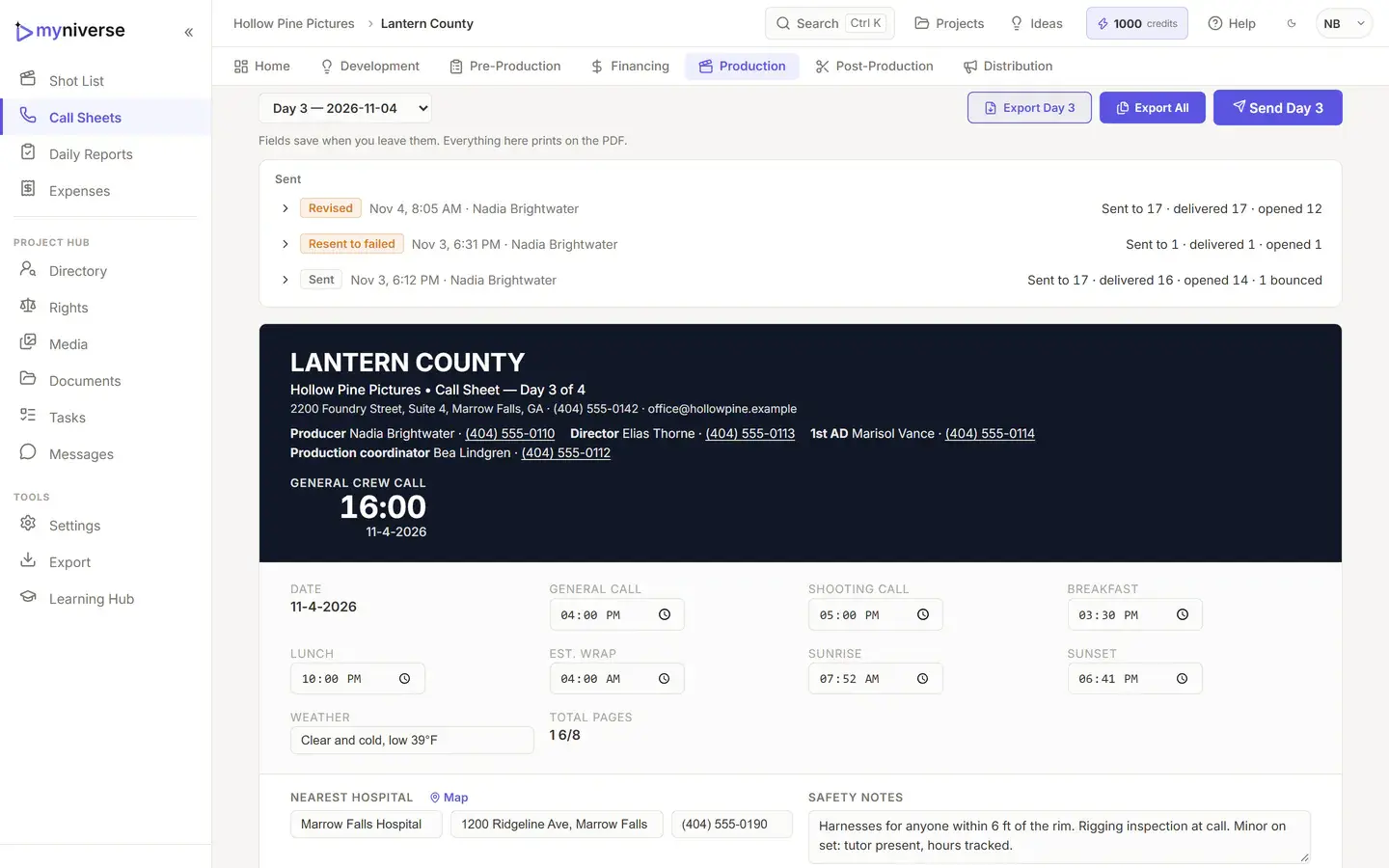
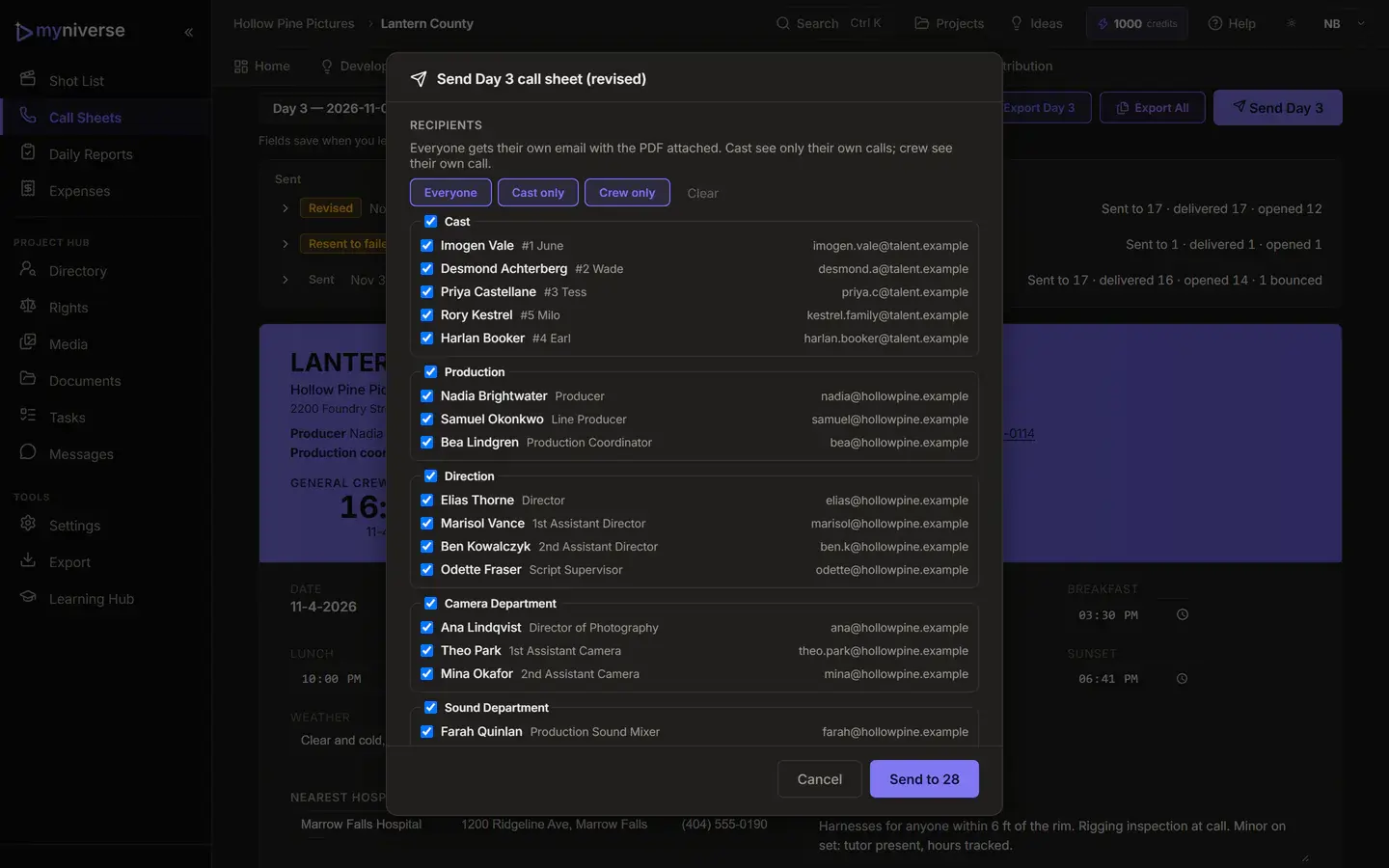
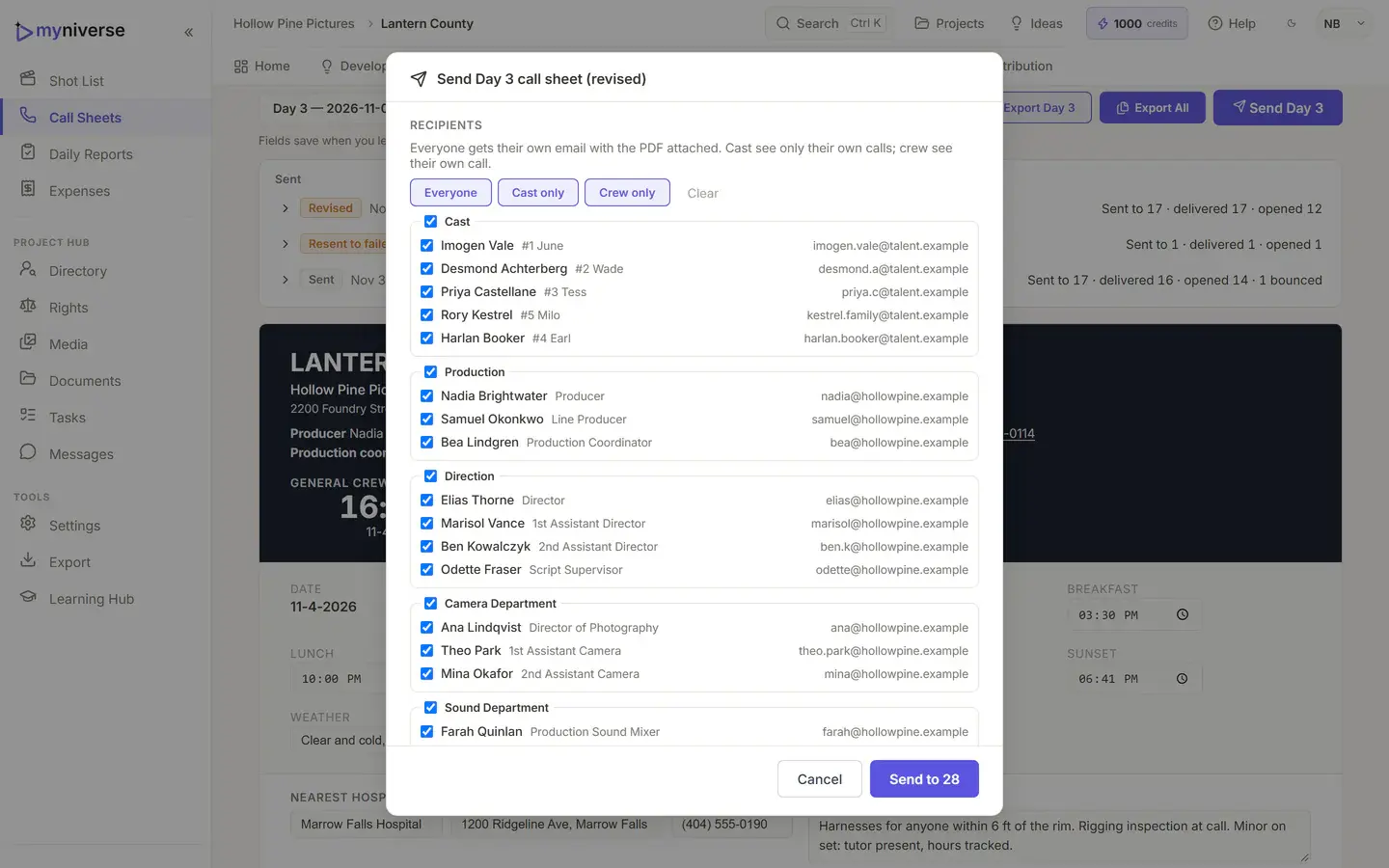
MyNiverse builds a call sheet for every shooting day from the schedule, cast and locations. You fill in the calls and notes, and every field saves as you go. When the day is ready, send it from the Call Sheets tab: everyone gets their own email with the PDF attached, and you can see who it reached.
Send by email, or export a PDF per day or all days. Free PDFs carry a small MyNiverse mark on page one. Your company name, address, phone and email print on call sheets on every plan, and paid plans can add your company logo.
Read the call sheet guide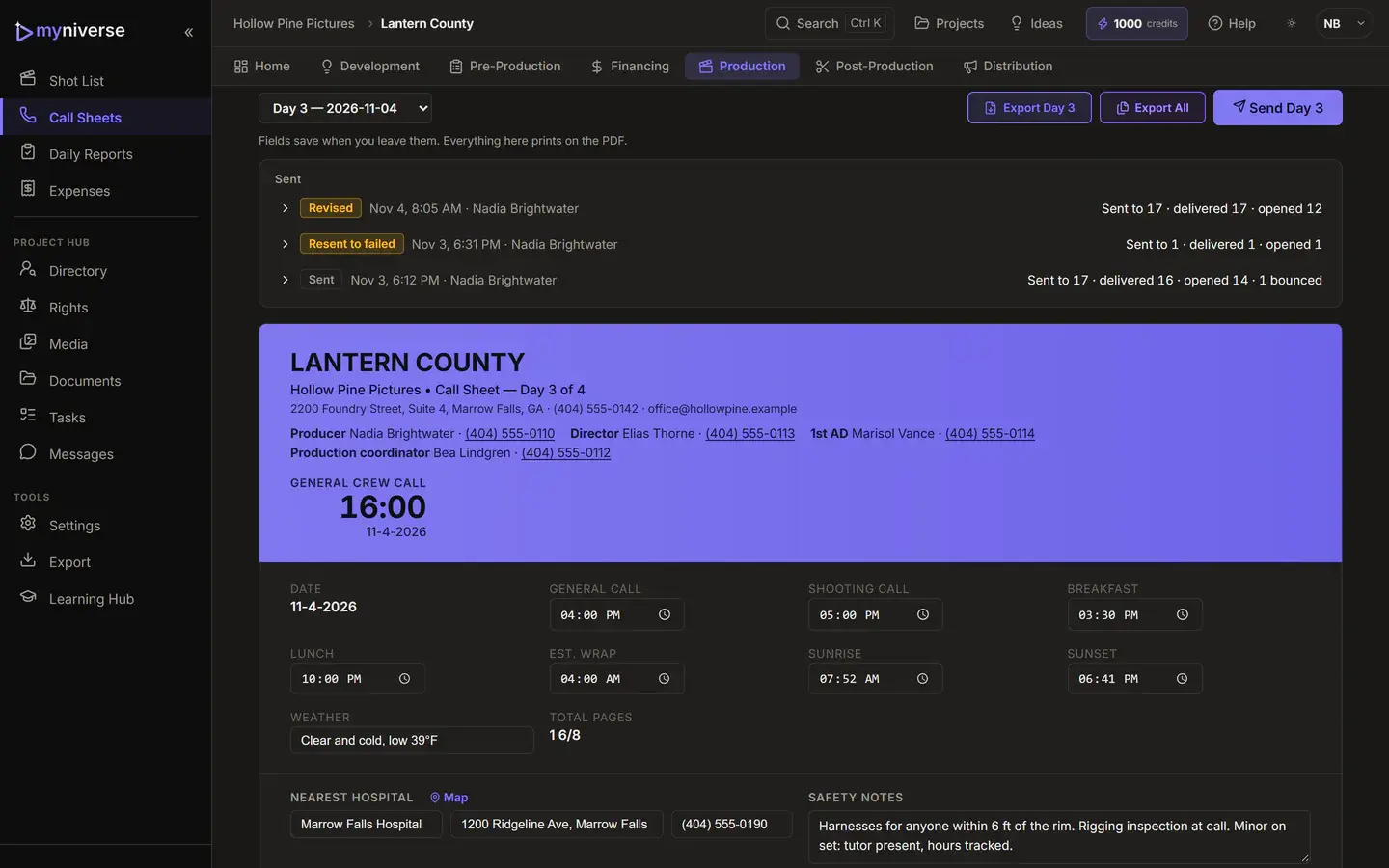
No AI tier. Every plan, including Free, can use every AI tool. Each action shows its price in credits on the button before you click.
| AI tool | What it does | Credits |
|---|---|---|
| Schedule prioritiesReads your scheduling priorities, in plain words, into rules for the free Schedule Wizard | Reads your scheduling priorities, in plain words, into rules for the free Schedule Wizard | Up to 6 per read |
| Schedule ReviewScores the schedule and lists issues by severity, highlighted on the board | Scores the schedule and lists issues by severity, highlighted on the board | 15 per run |
| Schedule ChatAnswers questions about the board and can apply moves, reorders, colors and day notes | Answers questions about the board and can apply moves, reorders, colors and day notes | Up to 3 per message |
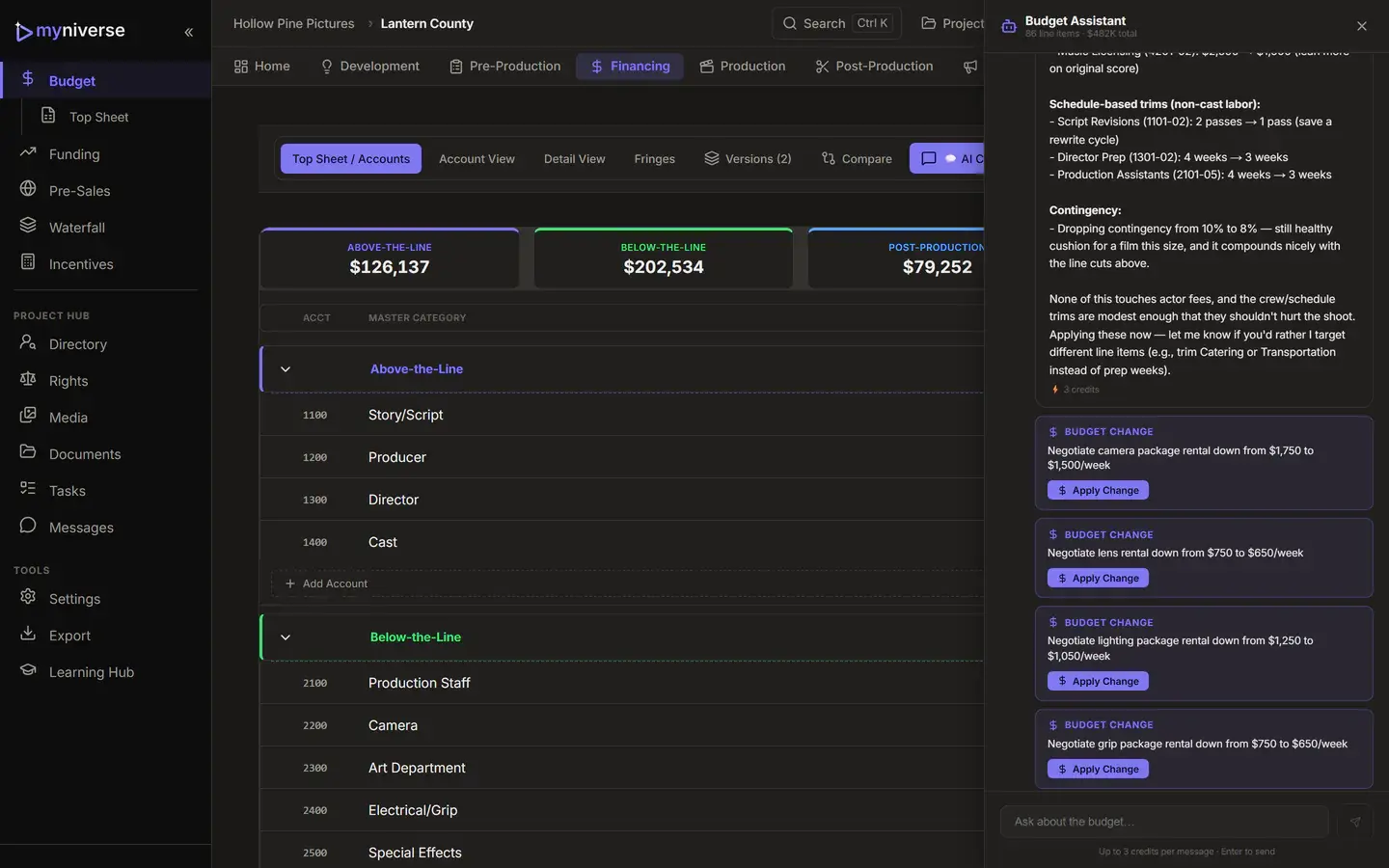
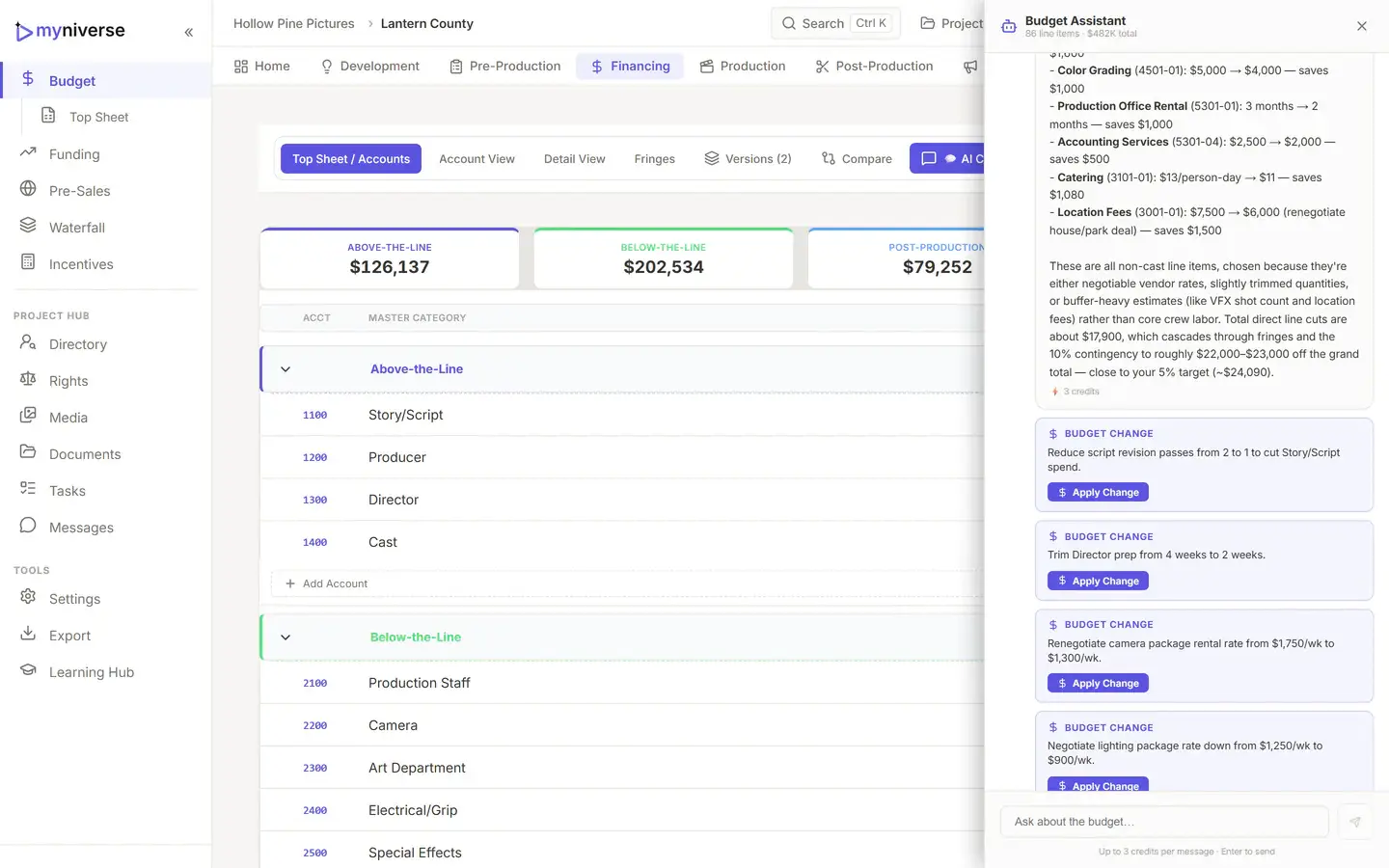
| Budget ChatProposes line-item, fringe, contingency and category changes you apply one by one | Proposes line-item, fringe, contingency and category changes you apply one by one | Up to 3 per message |
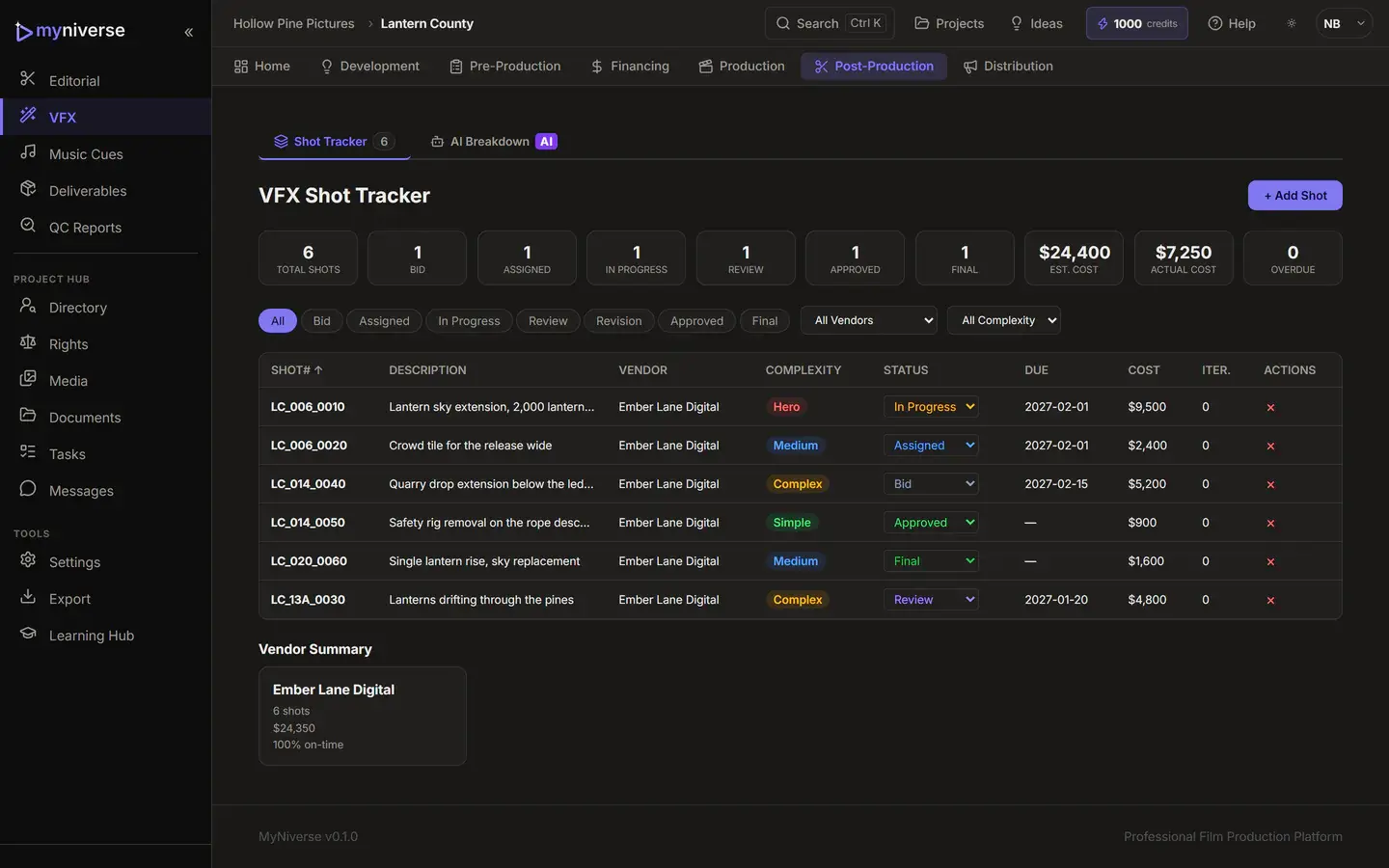
| VFX BreakdownProposes VFX shots per scene with category, complexity and low, medium or high cost | Proposes VFX shots per scene with category, complexity and low, medium or high cost | Up to 30 per run |
| Safety ScanFlags safety risks (minors, stunts, weapons, intimacy and more) in every scene | Flags safety risks (minors, stunts, weapons, intimacy and more) in every scene | Priced by script length, shown before you run it |
"Up to" prices are charged at the cap, then refunded down to what the action actually used.
Free includes 50 lifetime credits, enough for about 16 chat messages. Indie includes 250 a month, Pro 1,000 and Studio 5,000. Paid plans can add packs: 100 credits for $5, 500 for $20, 2,000 for $60.
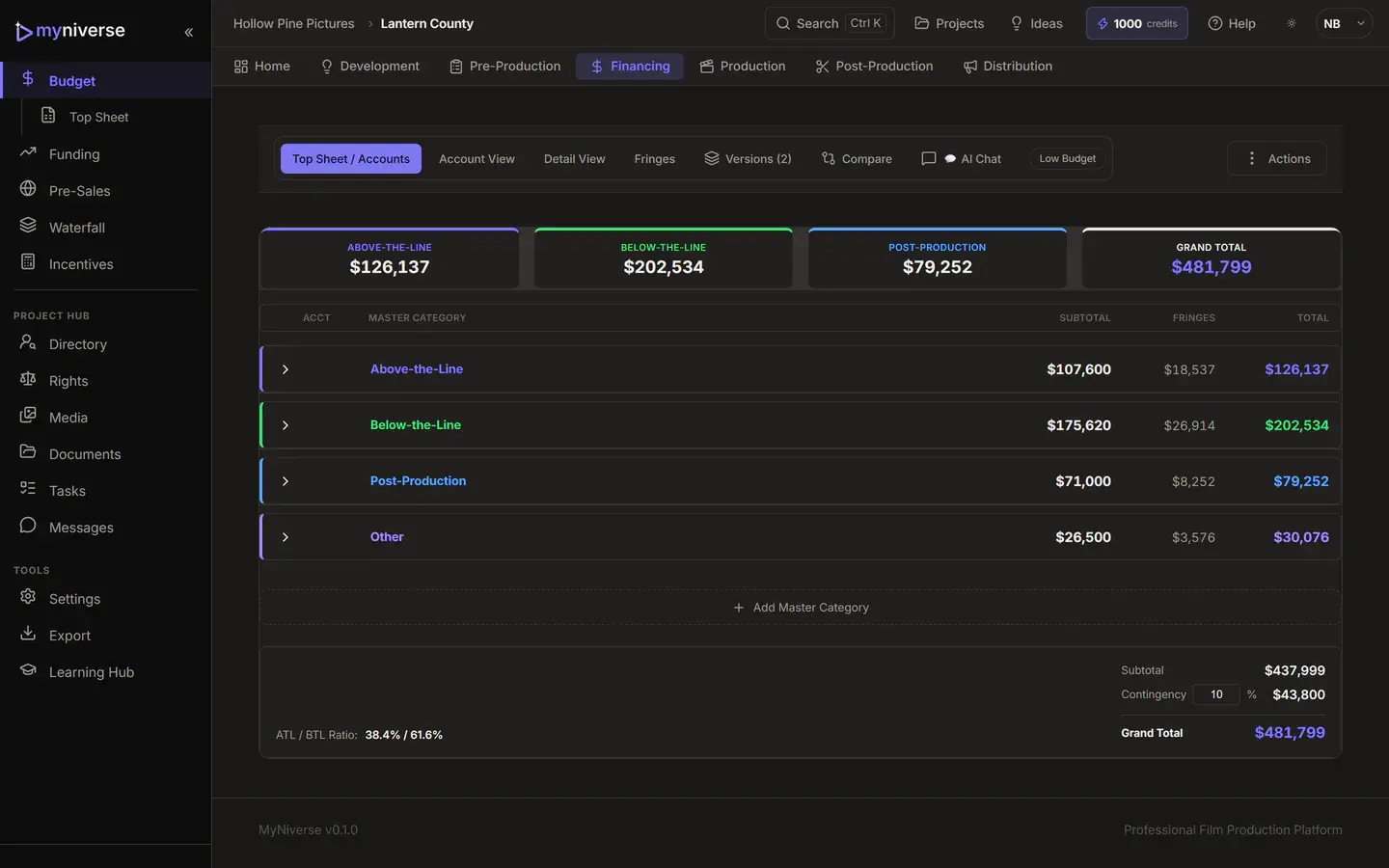
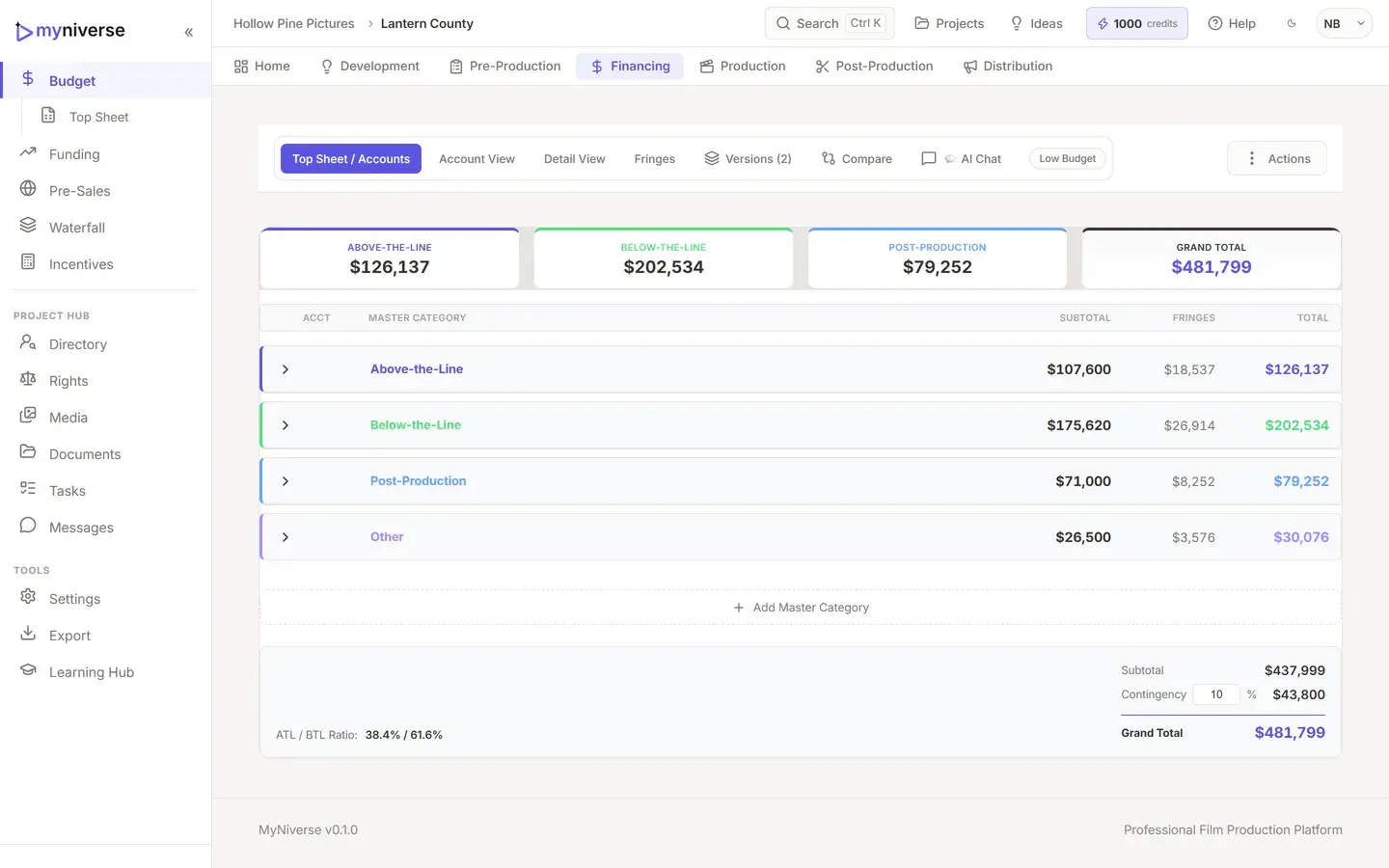
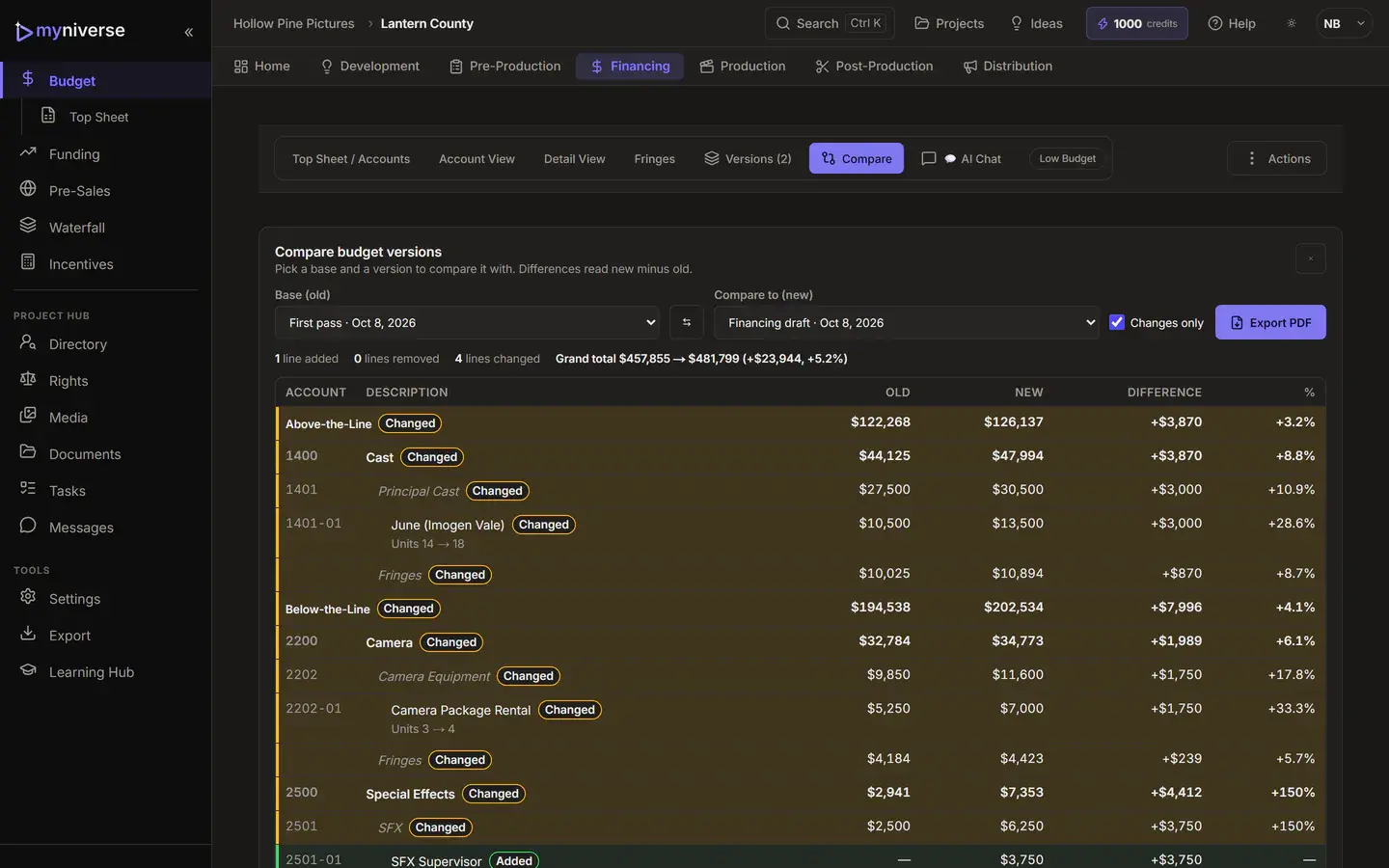
See plans and creditsBuild the budget in the same project as the schedule. A top sheet with ATL, BTL, Post and Other, accounts and line items (amount, units, multiplier, rate), contingency and a grand total. When the numbers get messy, ask Budget Chat.
Raise the money in the same project you schedule.
Track every investor from lead to closed, with target, committed and received amounts, terms and follow-up dates.
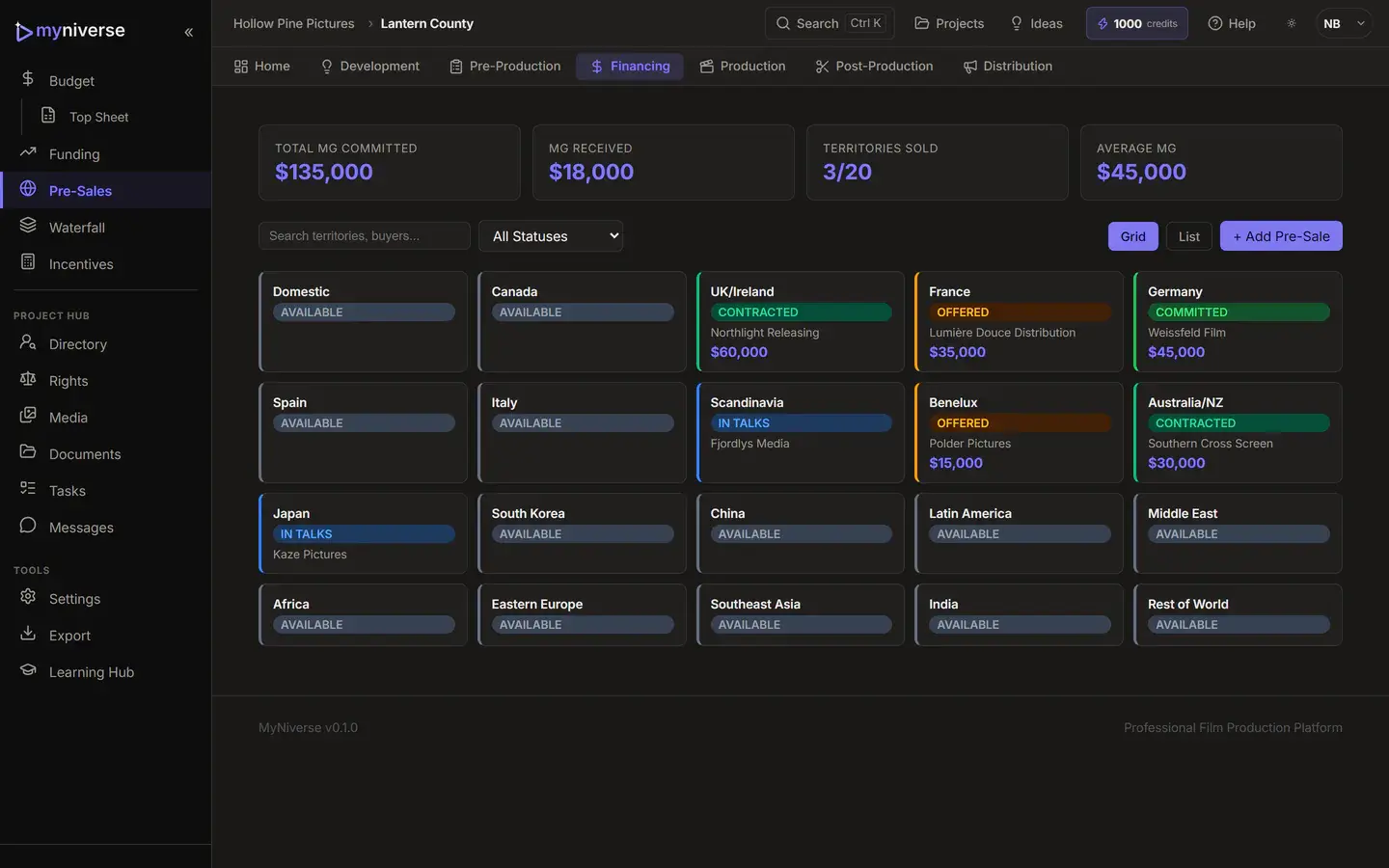
A 20-territory grid with buyer, MG, advance received, royalty and delivery terms per sale.
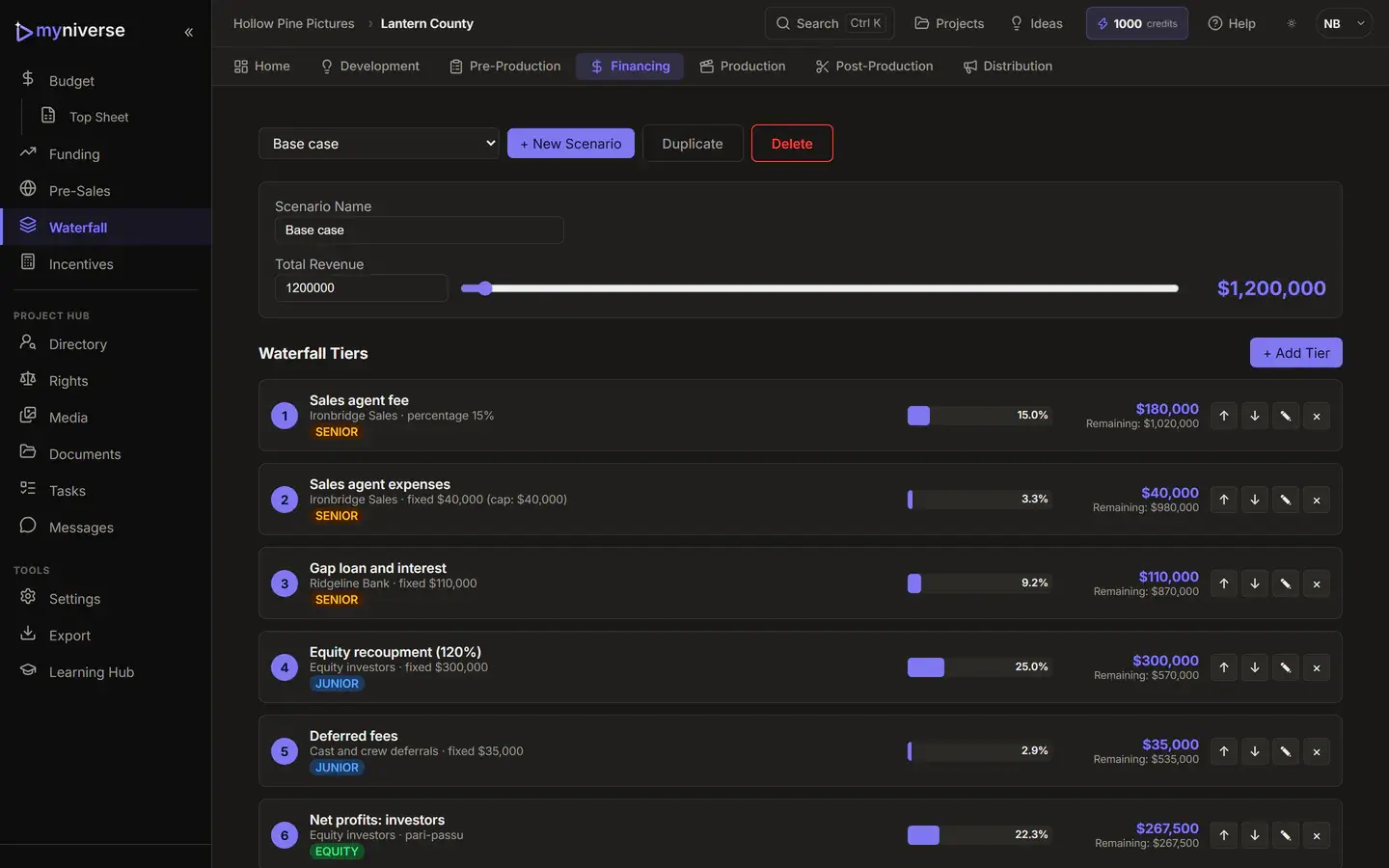
Model named scenarios with fixed, percent-of-remaining and pari passu tiers, caps and a revenue slider.
Compare 21 programs (15 US states, the UK, British Columbia, Ontario, Hungary, Ireland and Australia) for base and bonus credits, caps and net effective budget. Each program shows the date its rates are as of.
How the incentive calculator works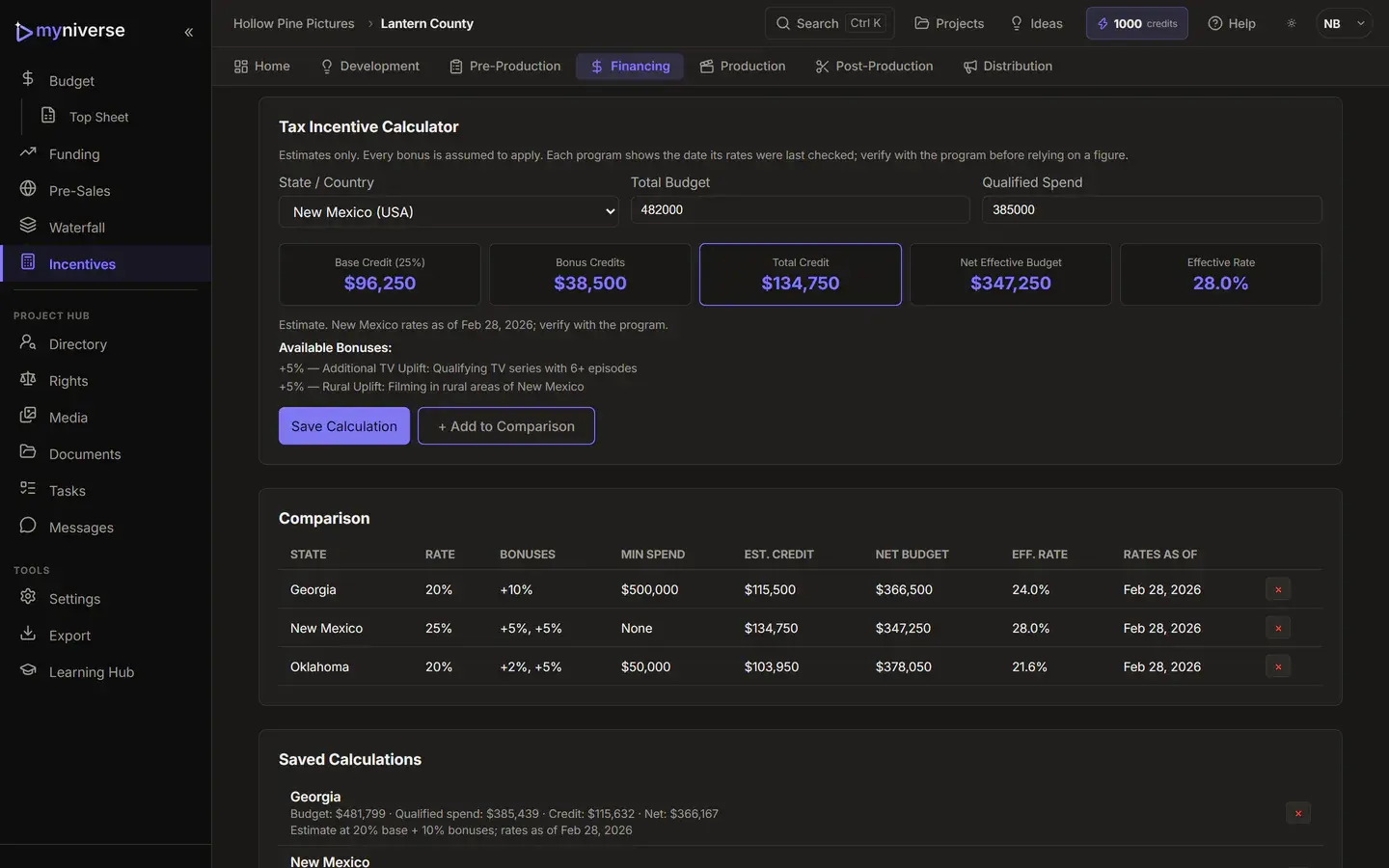
Equity, pre-sale MGs and saved incentive estimates roll up into one Funding dashboard with your funded percentage and gap.
Incentive estimates are for planning. Check each program's current terms before you commit.
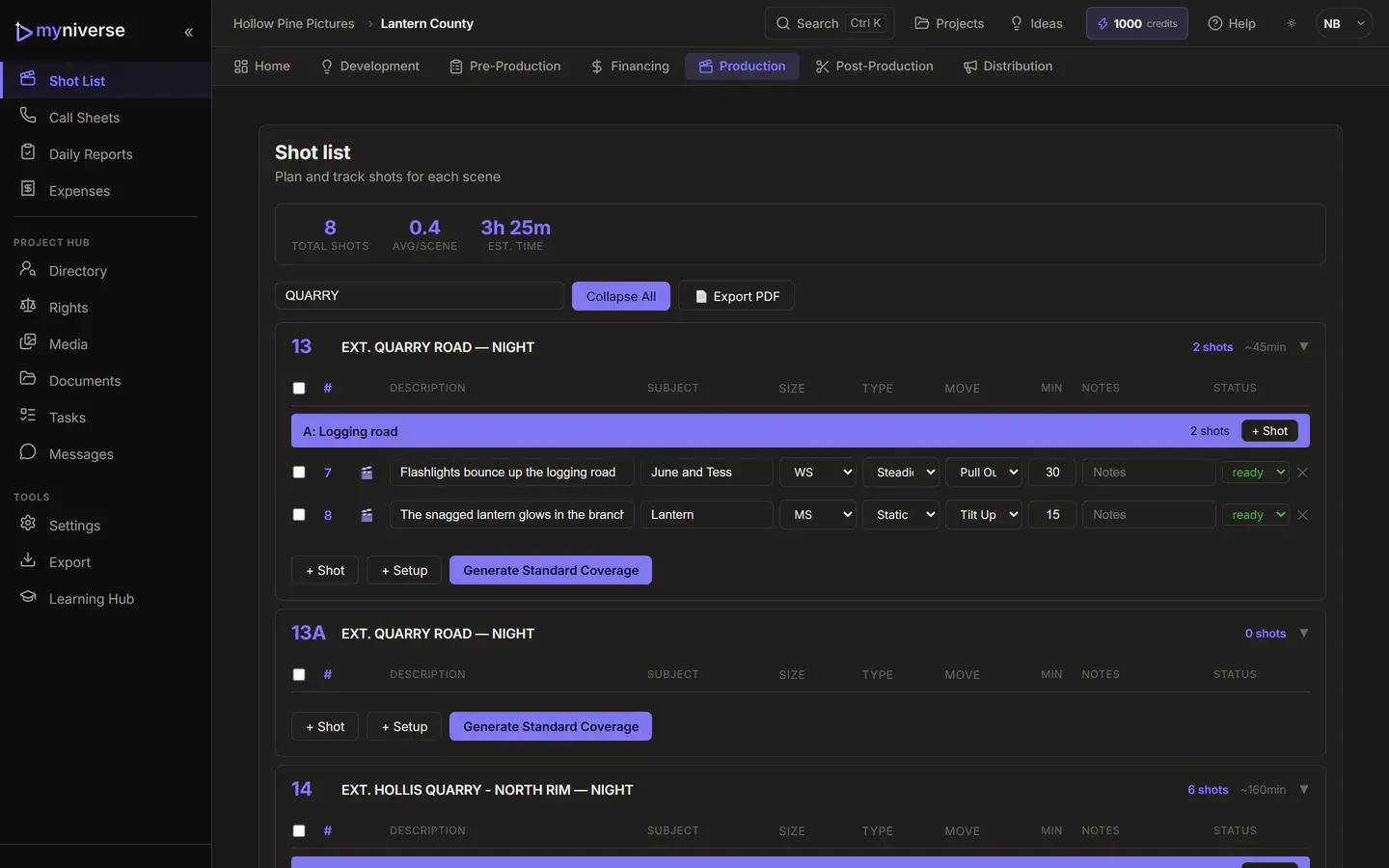
Shots per scene grouped into camera setups, with one-click standard coverage (free).
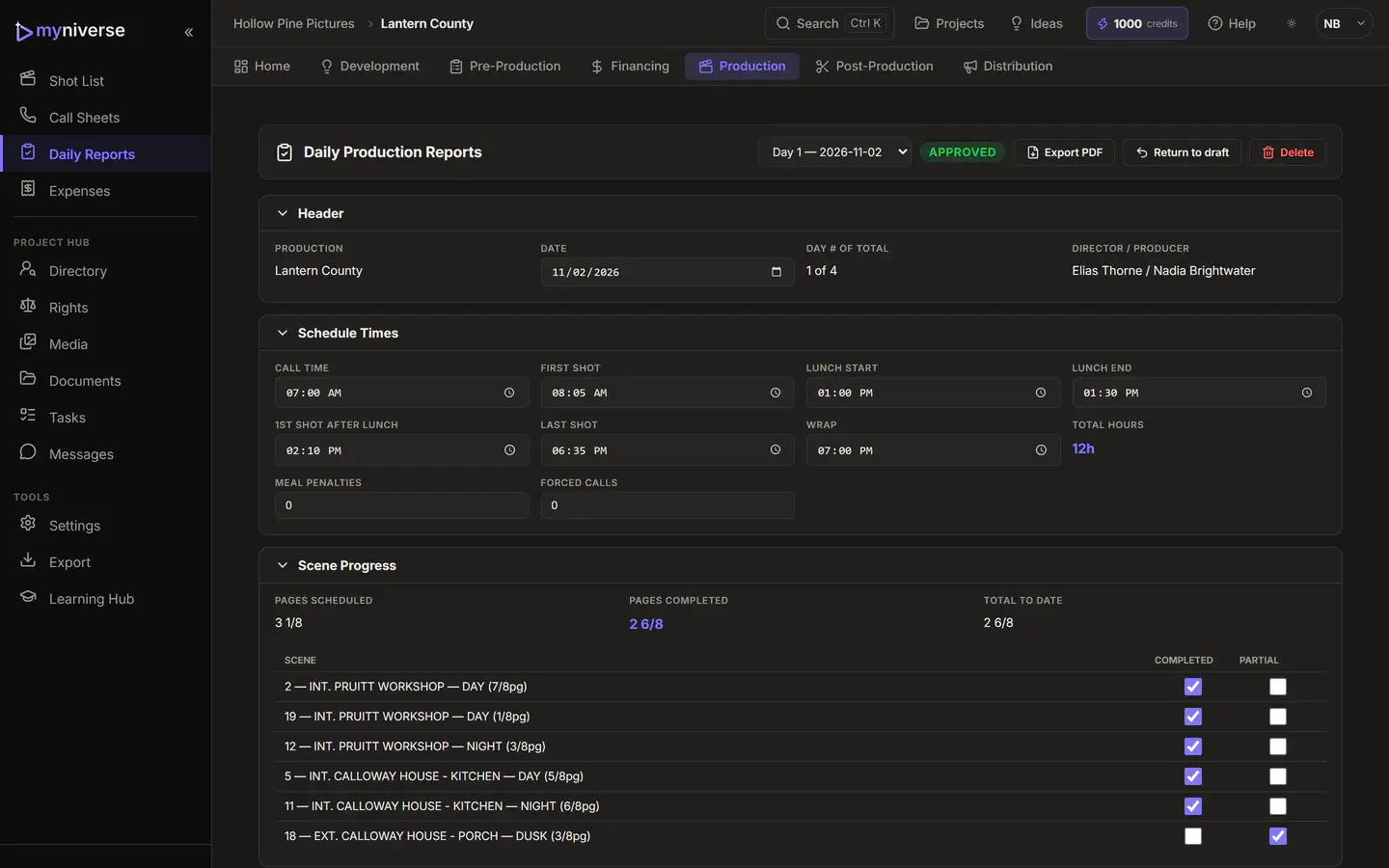
Pre-filled from the day, with total hours, meal penalties, forced calls and a draft, submitted, approved flow.
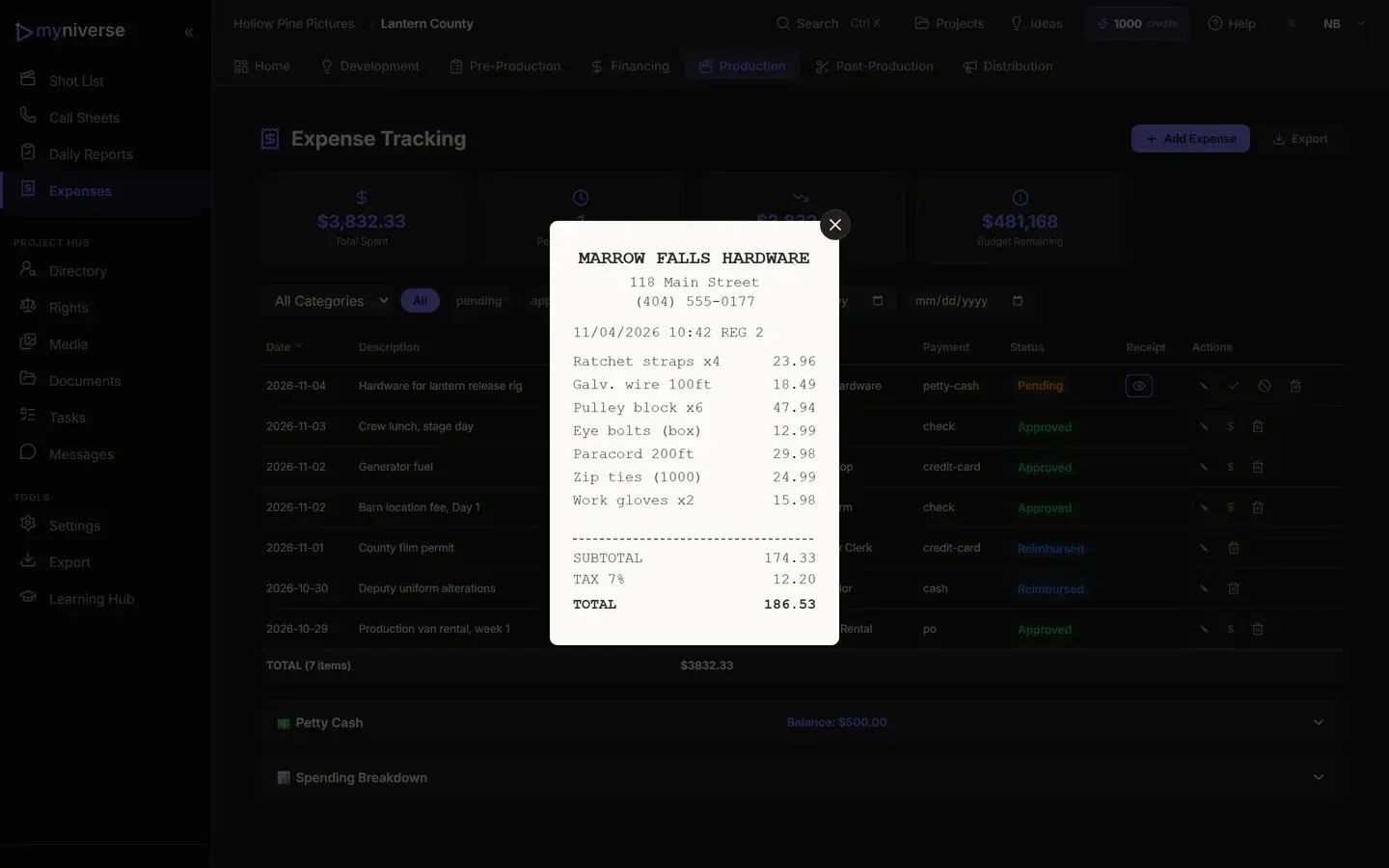
Log expenses with receipt photos from your phone, approve and reimburse, and track spending against the budget target and petty cash.
Call sheets, budgets and daily reports carry your company name, address, phone and email on every plan. Paid plans can add your company logo to them and to your other production PDFs.
The project does not end on the last shoot day.
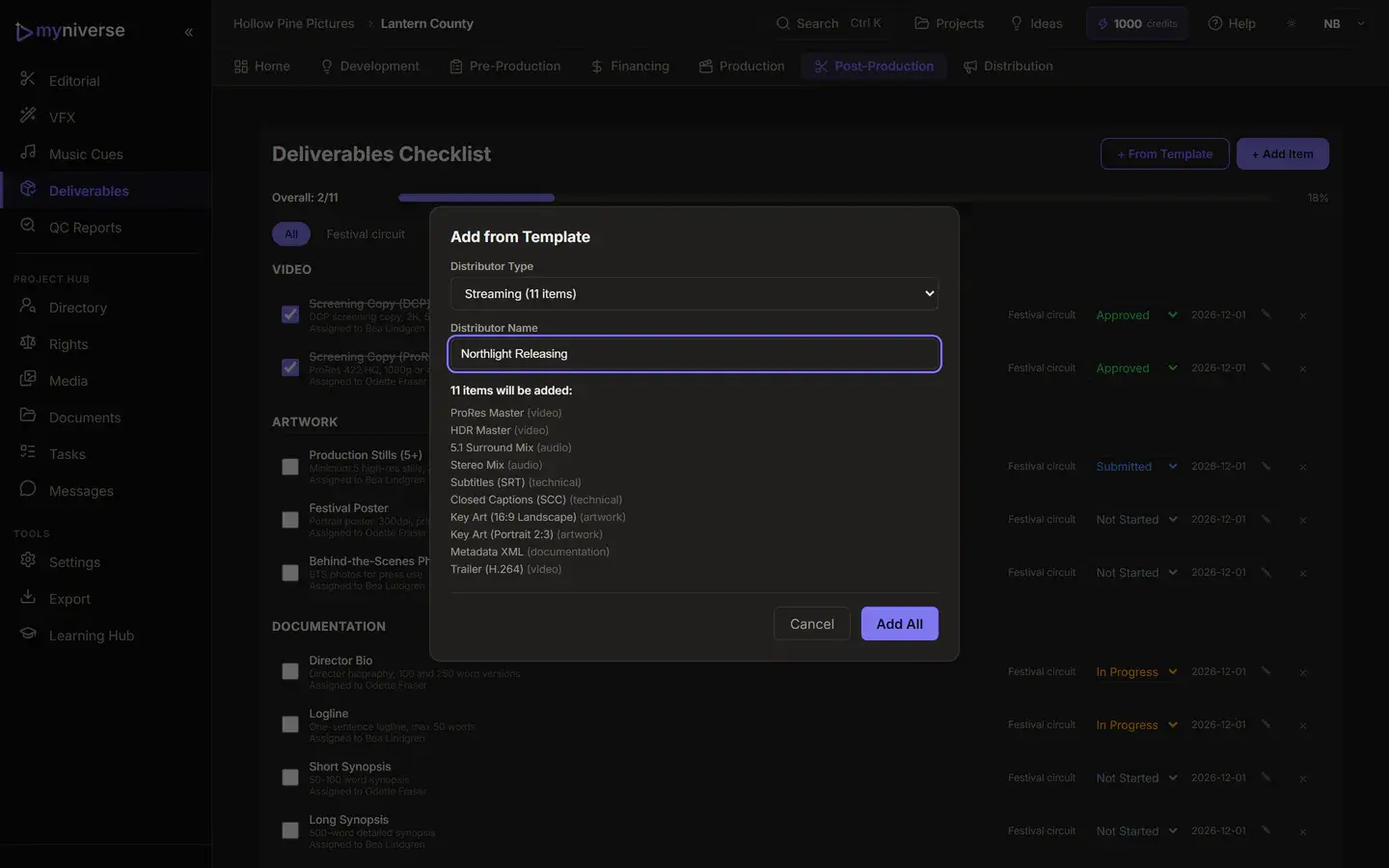
Post
Distribution
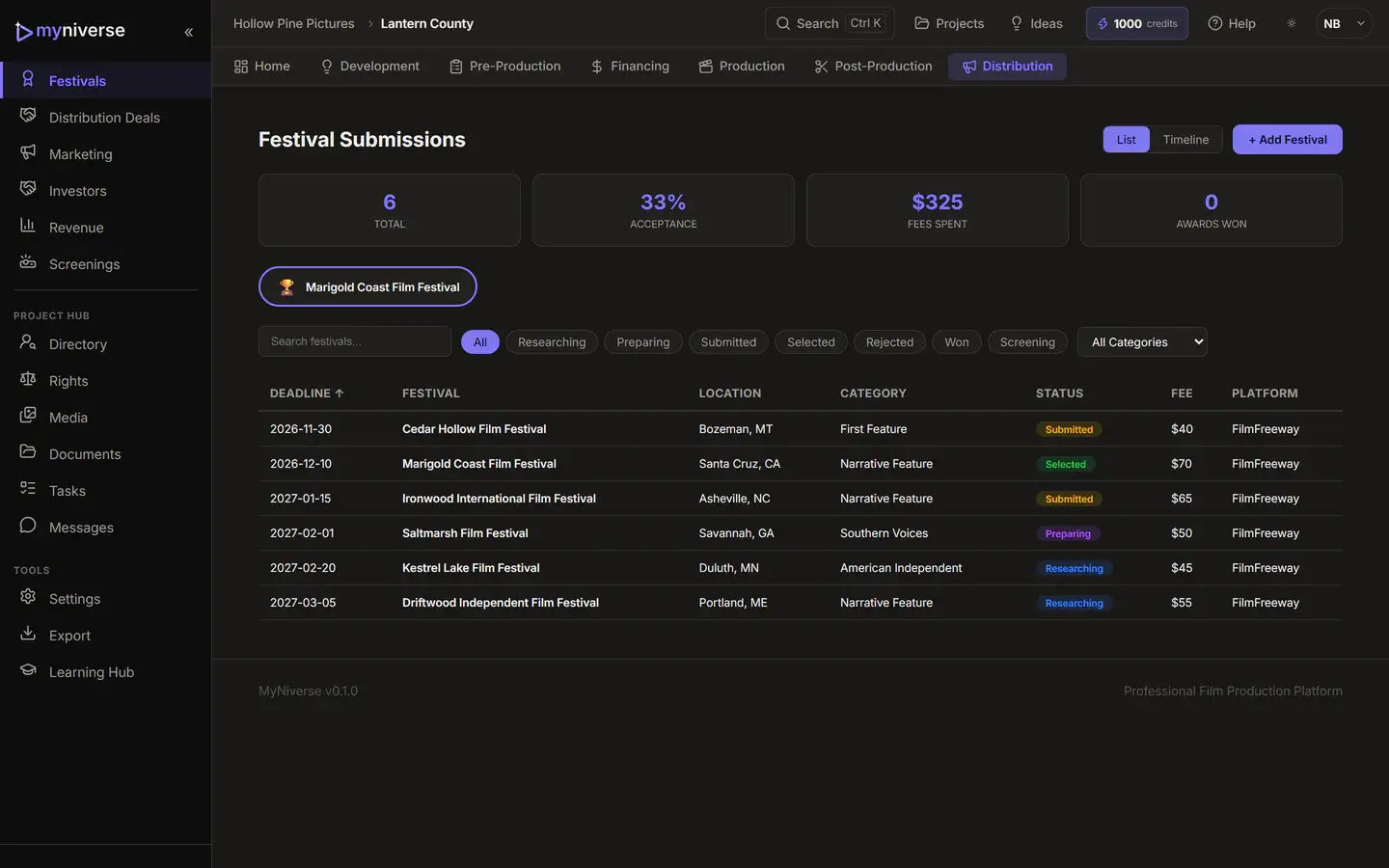
Screening invites are a record you keep; MyNiverse does not send them.
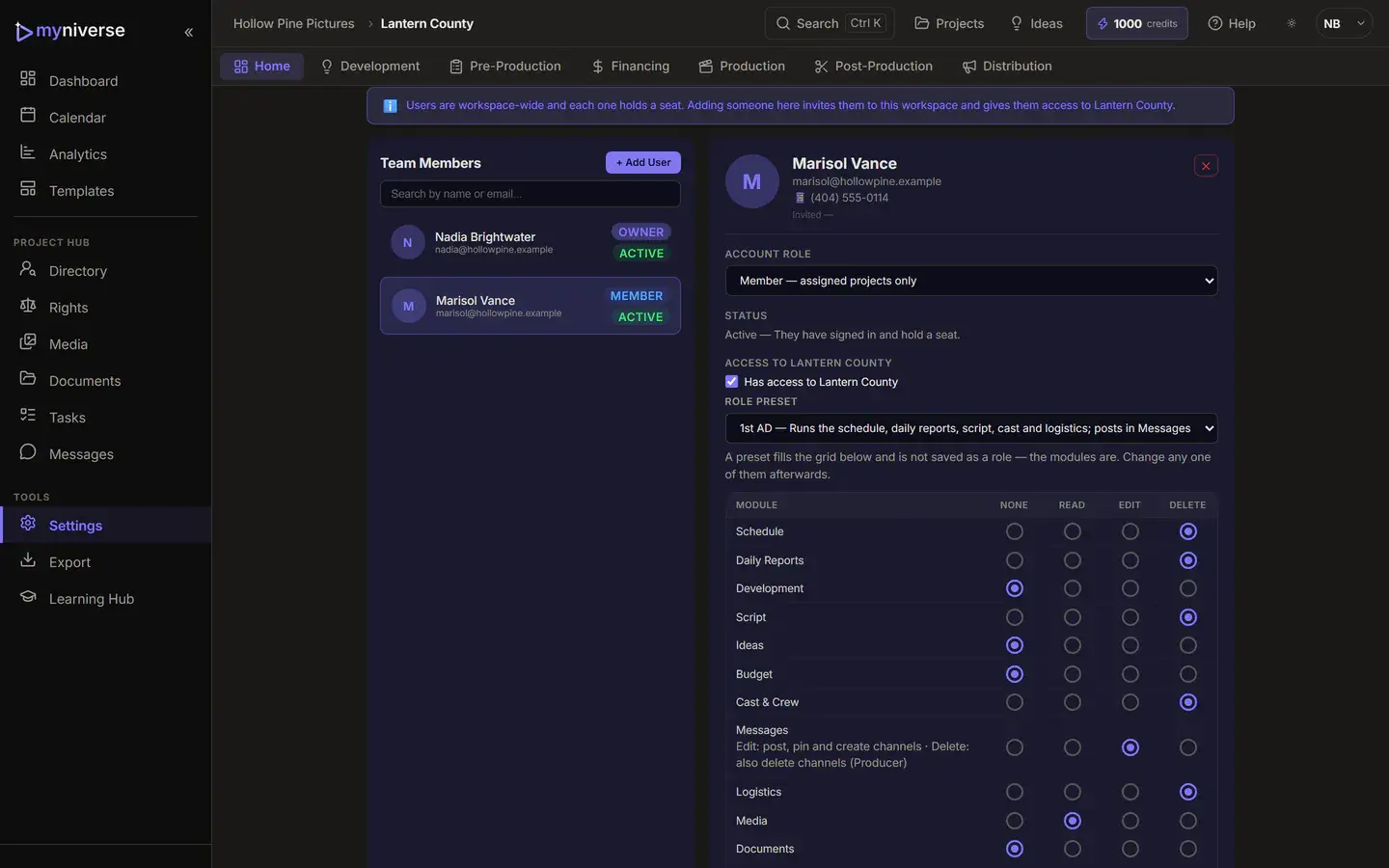
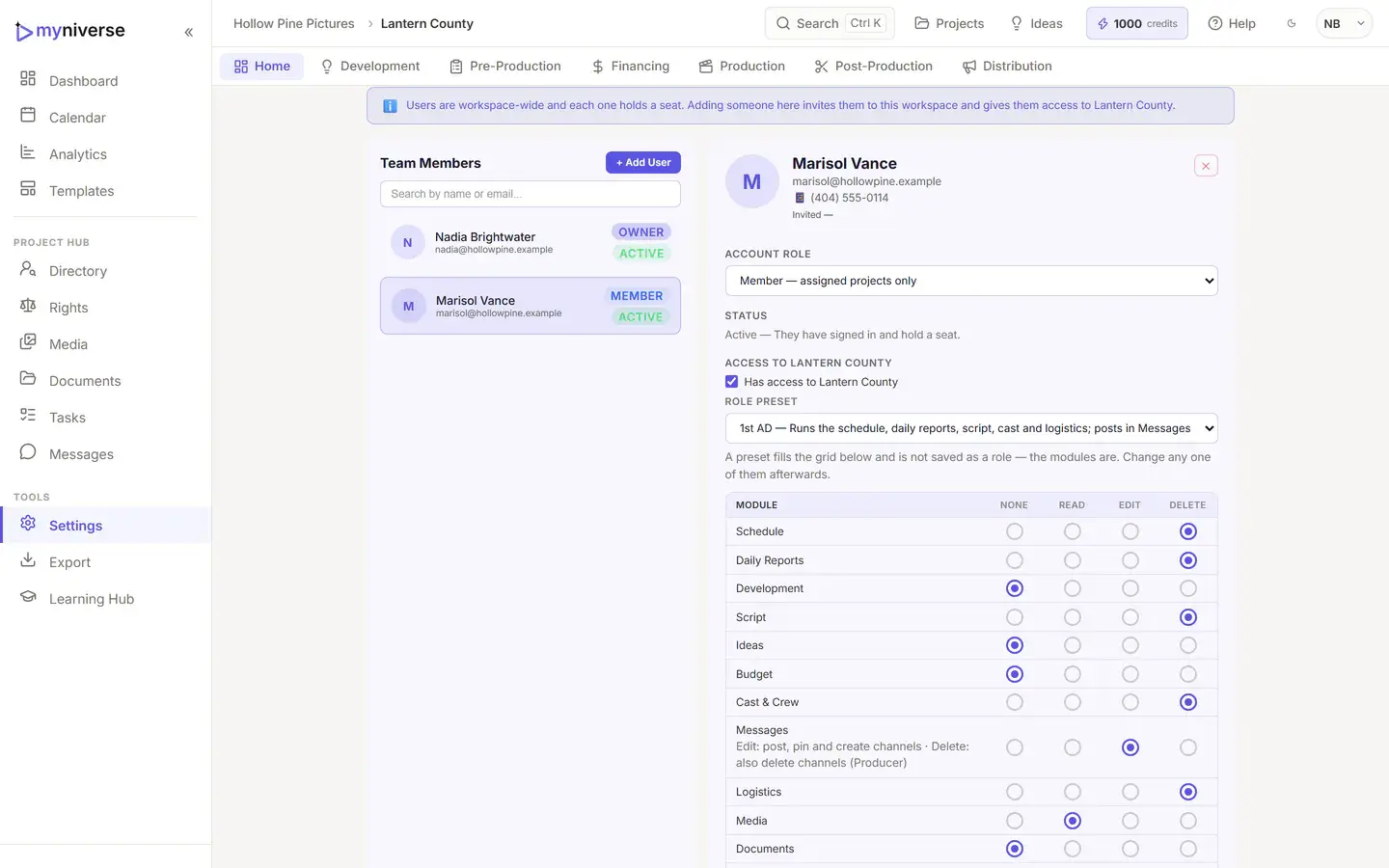
Invite your crew on Indie and up, then decide who sees what, project by project. A coordinator sees the schedule, a line producer sees the budget, and cast see only what you open to them.
Take your work with you. On every plan, including Free, Export project data downloads your whole project as one ZIP: every record (screenplay and revisions, schedule, budget and versions, cast and crew, reports, Messages and more), your uploaded files, and a README listing what is inside. Paid plans also get spreadsheet and script-file copies.
Large projects show progress while the export runs.
What is in the project export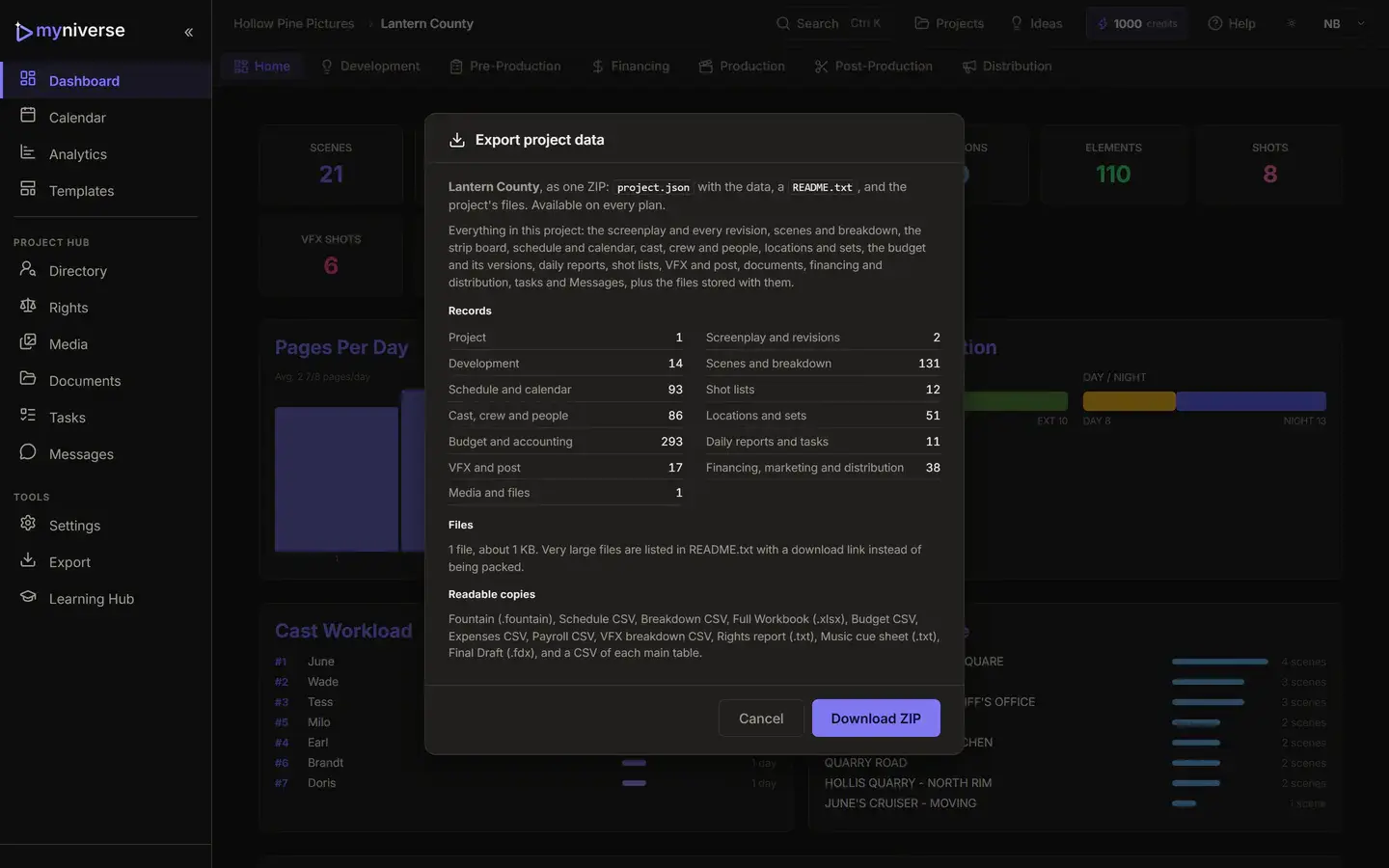
Every module on every plan, including budget version compare, emailed call sheets and a full project export. Plans differ by projects, seats, AI credits and export formats. Save 20% with annual billing.
Free
$0
Indie
$29/mo
Pro
$59/mo
Studio
$199/mo
Extra seats $9.99 a month on paid plans. Credit packs on paid plans: 100 for $5, 500 for $20, 2,000 for $60. Every plan prints your company details on call sheets, budgets and reports; paid plans add your company logo.
Prices in USD.
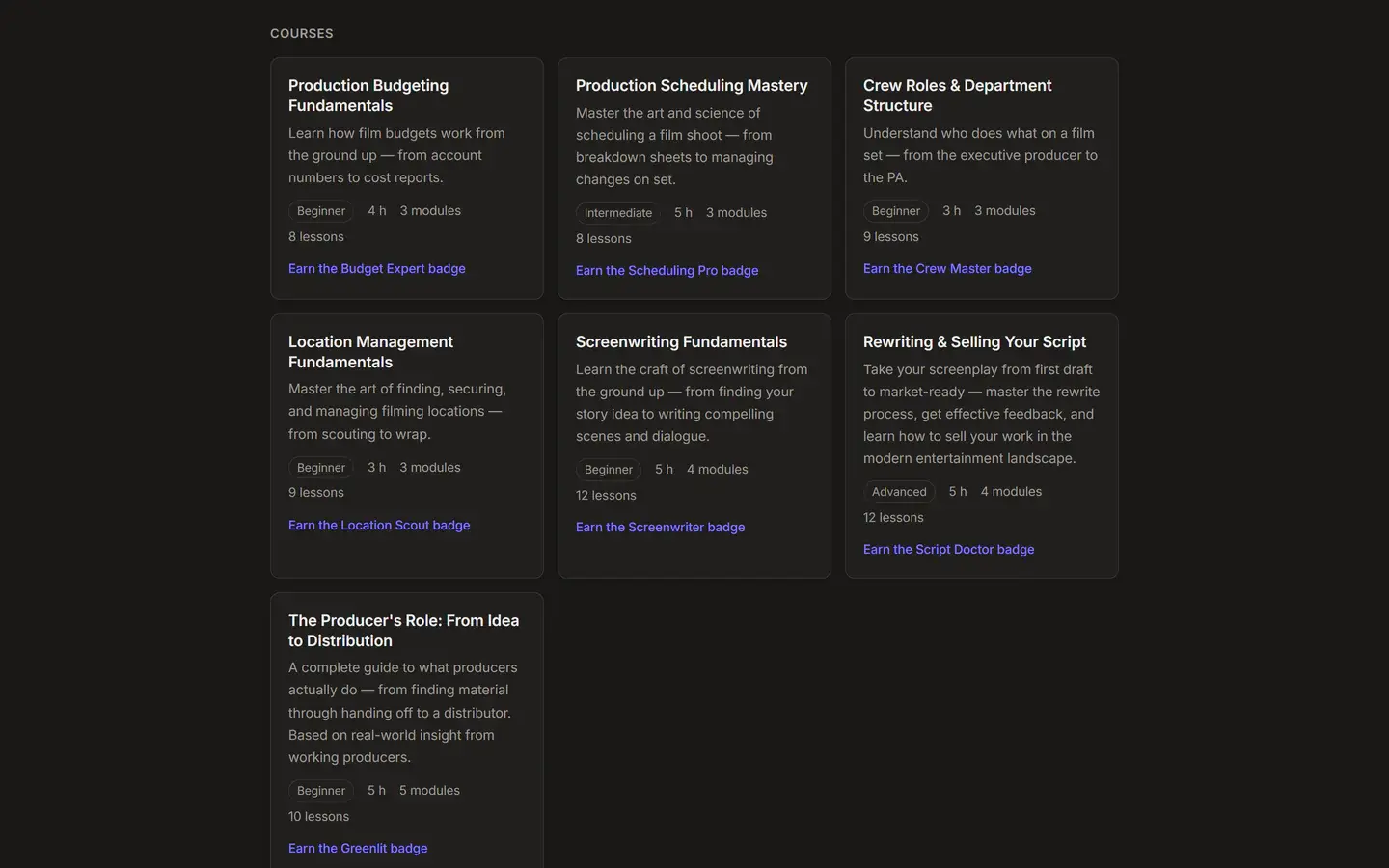
Seven free courses on budgeting, scheduling, crew roles, locations, screenwriting, rewriting and selling, and producing. Read every lesson on the web. Sign up free to take the quizzes, track progress and earn badges inside the app's Learning Hub.
Independent producers, writer-producers and small teams making micro to low-budget features and shorts who want the script, schedule, budget and paperwork in one place.
We list what is not built so you can decide fast. The changelog shows what ships next.
MyNiverse is a browser-based film production management workspace for independent producers, writer-producers and small production teams making micro to low-budget features and shorts. One project record carries the work from idea to release: screenplay and development, script breakdown, stripboard scheduling, call sheets, budget with fringes, financing, post-production, festivals and distribution. Every module is included on every plan, including Free.
MyNiverse has four plans. Free is $0 with 2 active projects, 1 user and 50 lifetime AI credits. Indie is $29 a month with 5 projects, 2 seats and 250 credits a month. Pro is $59 a month with 15 projects, 10 seats and 1,000 credits. Studio is $199 a month with unlimited projects, 20 seats and 5,000 credits. Annual billing is 20% off.
Yes. The MyNiverse Free plan costs $0 and includes every module, from the screenplay editor and stripboard to the budget, financing, post and distribution tools. It allows 2 active projects and 1 user, includes 50 lifetime AI credits (enough for about 16 chat messages), schedules the first half of the script, and exports PDFs with a small MyNiverse mark on page one.
MyNiverse replaces the stack many indie productions stitch together: a screenwriting app, a scheduling tool, a budgeting spreadsheet and shared drives. The script, breakdown, stripboard, call sheets, budget, financing, post tracking and festival submissions live in one project record, so a script change reaches the breakdown and schedule with one push instead of exporting and re-importing files between tools.
MyNiverse meters AI with credits, and every AI action shows its price before you run it. Reading your schedule priorities costs up to 6 credits, Schedule Review costs 15, VFX Breakdown up to 30, and Schedule Chat and Budget Chat up to 3 per message. Safety Scan is priced by script length. Free includes 50 lifetime credits, paid plans include 250 to 5,000 a month, and packs start at 100 credits for $5.
Yes. MyNiverse imports Final Draft (.fdx), Fountain and PDF scripts on every plan, including Free. Indie and above export Fountain, CSV and Excel, plus a Movie Magic Scheduling (.sex) file of the breakdown in stripboard order. Pro and Studio add Final Draft (.fdx) export of the screenplay. PDF exports of the script, schedule, call sheets and reports are on every plan.
In MyNiverse you push the script to the breakdown, tag elements, then build the shooting schedule on a drag-and-drop stripboard. The free Auto-Stripboard optimizer sorts scenes by location, cast, light control and turnaround, or the free Schedule Wizard builds a full schedule from your dates, availability and rules, with AI reading any priorities you write in plain words (up to 6 credits). Day Out of Days, the one-liner, sides and call sheets come from the same board, and you can email each day's call sheet with delivery history.
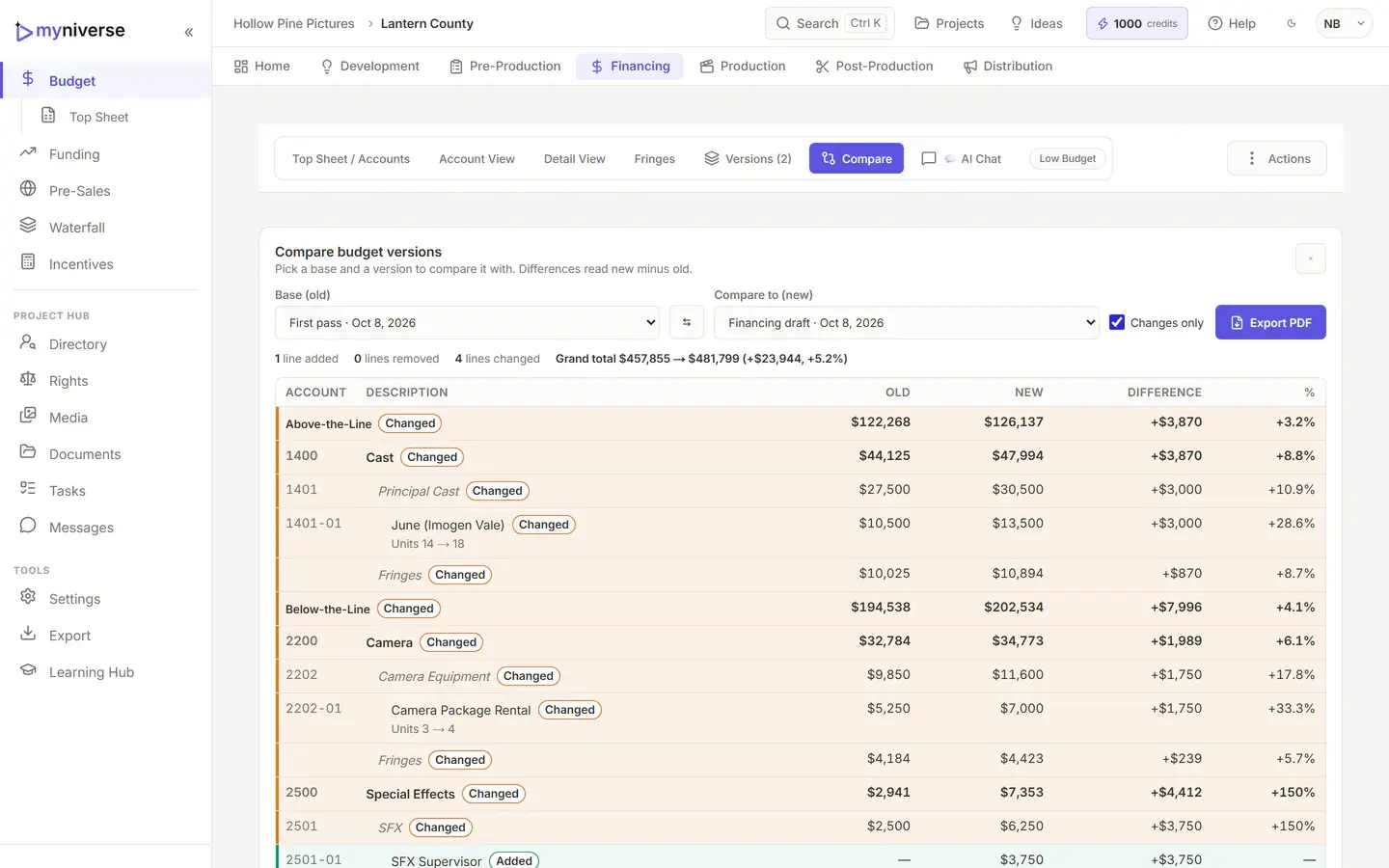
Yes. MyNiverse includes a film budget with a top sheet, accounts and line items, and fringes from presets (Standard Non-Union, SAG Low Budget, Full Union) or custom rules, as a percentage or flat amount with caps. Templates come in Micro, Low, Mid and Studio scale. Save named versions and compare any two side by side, with dollar and percent differences per line. Budget Chat (AI, up to 3 credits a message) proposes changes you apply one by one.
Yes. MyNiverse includes a tax incentive calculator with 21 programs: 15 US states plus the UK, British Columbia, Ontario, Hungary, Ireland and Australia. It estimates base and bonus credits, applies program caps and compares the net effective budget across locations. Each program shows the date its rates are as of, and saved calculations feed the Funding dashboard. Confirm current terms with the program before you rely on them.
On Indie and above, MyNiverse lets you invite crew and set permissions per person, per project, across 14 modules at four levels: none, read, edit and delete. Presets cover Producer, 1st AD, Director, Writer, Dept Head and Cast & Crew. Budget figures are withheld from anyone without budget access. Projects include tasks and team chat. Editing is not live co-editing; conflicting saves are caught and you reload.
Yes. On every MyNiverse plan, including Free, Export project data downloads your whole project as one ZIP: every record from the screenplay and revisions to the schedule, budget versions, cast and crew, reports and Messages, plus your uploaded files and a README. PDF exports are on every plan. Indie and above add CSV, Excel, Fountain and Movie Magic Scheduling exports. Pro and Studio add Final Draft (.fdx).
MyNiverse is a responsive web app that runs in a modern browser, so there is nothing to install. There is no native iOS or Android app and no offline mode, so you need an internet connection. The screenplay editor and stripboard are built for desktop and laptop screens; on a phone, search and the public pages are laid out for the small screen and expense receipts can be photographed with the camera.
Start on Free with every module, 2 active projects and 50 AI credits. Step up when the shoot does.